



Goto, the editor minimap, and more information about the code currently in front of you.
Feature Preview: This blog post is based on a pre-release version of the RAD Studio software and it has been written with specific permission by Embarcadero. No feature is committed until the product GA release.
In the 13.1 release, we integrated the enhanced Bookmarks feature originally developed by Parnassus and available as a GetIt package. We are now doing the same with Navigator. The new integrated Navigator brings its Goto window and editor minimap into RAD Studio, with configuration in the regular IDE options.
Navigator is most useful in large projects where you need to look for the name and location of many symbols in different units – which, for many of our customers, means most production projects.
Goto Units, Types, and Methods
The Goto window searches units, types, methods, and other symbols and filters the result while you type. You do not need to remember the complete symbol name or browse the project tree one unit at a time. Select the result and the IDE moves directly to it.
This is a small workflow feature, but it is one you can use dozens of times while following a call chain or learning an unfamiliar project. It also works together with the minimap, so the destination is not just an isolated line: you can immediately see where it sits in the current source file.
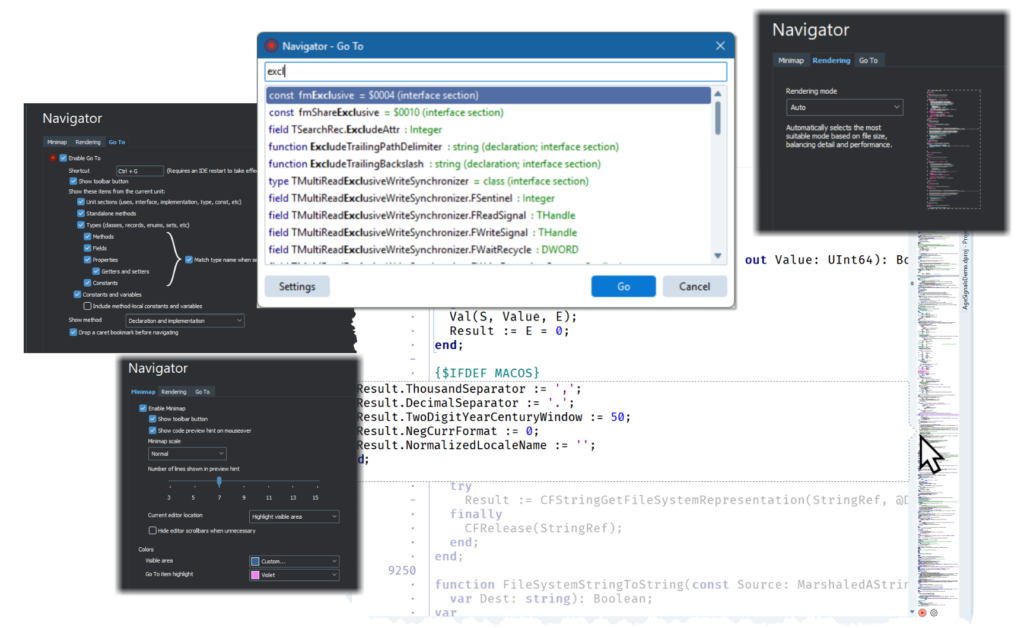
The navigator configuration, the Goto dialog, and the editor with the minimap in the background
The Minimap
The minimap is a compact rendering of a whole source file on the side of the editor. You cannot read the code at that scale, nor is that the point. The shapes of declarations, methods, blank areas, and comments make it possible to recognize parts of a long unit and move between them quickly.
Compared to the previous plugin, we have added an active-line marker, making your current location visible in the minimap. We are also extending the scrollbar annotations to show breakpoints and Error Insight results. You can see, for example, that several errors are grouped farther down the unit, or that a breakpoint is close to the code you are inspecting, and jump there without manually scrolling the file.
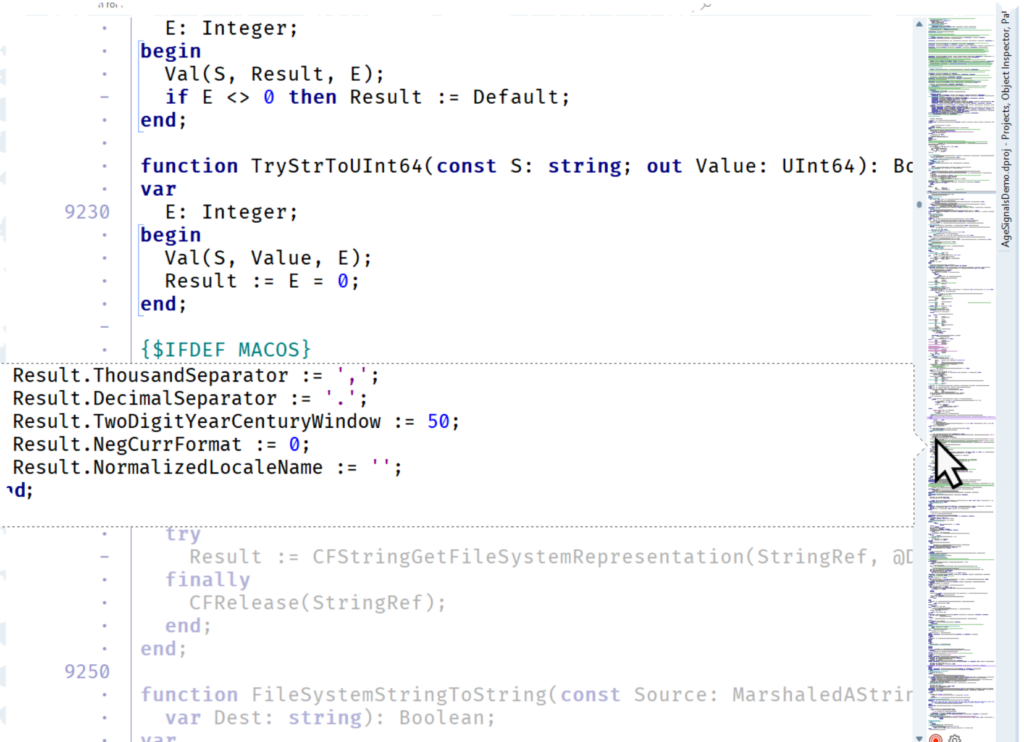
The editor minimap in action
Part of the IDE
The main change here is that these navigation tools become part of the editor and can share its state. Goto handles the symbolic question – where is this method? – while the minimap answers the visual one – where am I in this unit? By integrating them in the IDE we are also improving their quality, removing the separate installation step, and offering a solid foundation for future enhancements.
If you work with large Delphi or C++ projects, this is one of those features that should be easier to evaluate by using it for a few days. There are many other relevant enhancements and improvements in the RAD Studio IDE coming in the next release. I’ll highlight a few in another blog post.
Feature Preview: This blog post is based on a pre-release version of the RAD Studio software and it has been written with specific permission by Embarcadero. No feature is committed until the product GA release.



Reduce development time and get to market faster with RAD Studio, Delphi, or C++Builder.
Design. Code. Compile. Deploy.
Free Delphi Community Edition Free C++Builder Community Edition



In C++ builder the highlighted section of the minimap doesn’t match the section in the edit window. This happens with files that are longer than a few hundered lines. The longer, the bigger the discrepancy gets. I’ve already filed a bug report long ago. Was this issue addressed here?