


In the previous example on Shader programming with Delphi FireMonkey, we created a texture feature to show images. So the material source manages the image bitmap.
In this sample, you will create this:
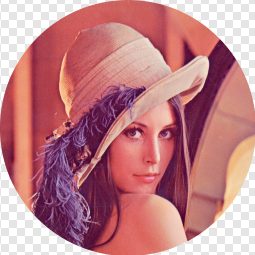
We can do this by adjusting the texture itself and setting all the pixels outside of the circle to be transparent. This needs a change to the texture. By utilizing a transformed pixel shader, you could make the cutout for any image.
Pixel Shaders
We can keep the same vertex shaders as the previous example. The pixel shaders have to be updated through:
|
1 2 3 4 5 6 7 8 9 10 11 12 13 14 15 16 17 18 19 20 21 22 |
// HLSL Texture2D Texture; SamplerState Sampler; float4 main(float4 position: SV_POSITION, float2 texCoord: TEXCOORD0): SV_Target0 { // texCoord ranges from 0.0 to 1.0 // For calculating a unit circle, remap to -1.0 to 1.0 float2 locationFromCenter = (2.0 * texCoord) - float2(1.0, 1.0); // Calculate distance from center float distanceFromCenter = length(locationFromCenter); // A distance greater than 1 means we are outside the circle. // Return a transparent color in that case if (distanceFromCenter > 1.0) return float4(0.0, 0.0, 0.0, 0.0); return Texture.Sample(Sampler, texCoord); } |
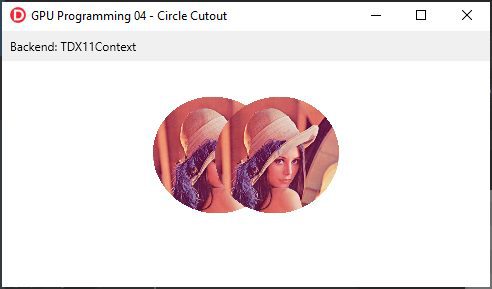
In this part no need to update the materials at the Delphi side since all changes are controlled by the shader.

Be sure to check out the full blog post here on Grijjy blogs.
With the use of Windows IDE, you can easily cut out an image with a pixel shader on Windows. Try your Free Trial here.



Reduce development time and get to market faster with RAD Studio, Delphi, or C++Builder.
Design. Code. Compile. Deploy.
Free Delphi Community Edition Free C++Builder Community Edition



Bon article. Bonne journée.