


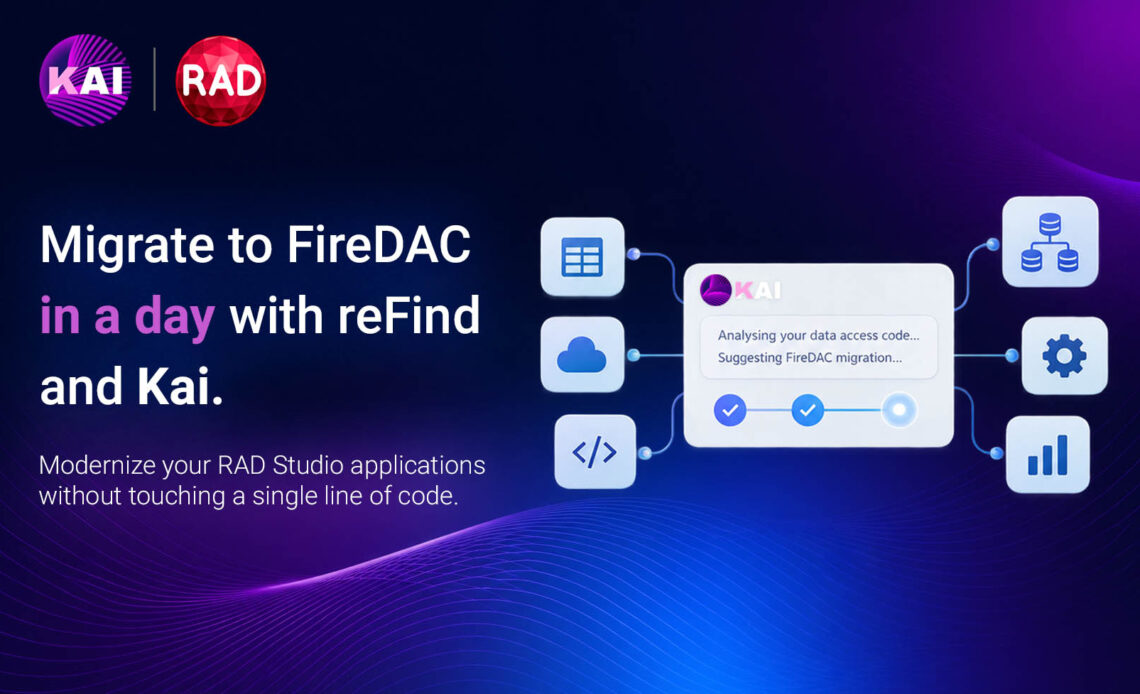
If you maintain a Delphi application that still talks to the database through BDE, ADO, IBX, or dbExpress, you’ve likely thought (more than once) about migrating to FireDAC. What usually stops the move is not doubts about FireDAC, it is the fear that migration means weeks of mechanical renames, broken DFMs, and compile-fix digging across hundreds of units.
RAD Studio already ships a bulk migration engine called reFind. It includes rule templates for BDE, ADO, dbExpress, and IBX (plus AnyDAC and API rename kits), and with Kai, the agentic AI assistant inside the IDE, you can analyze a large codebase, lightly customize those templates for your project, run reFind and drive Kai in fix loop mode until the app builds using FireDAC. That’s often a day of work for a typical business application, where it would have taken weeks by hand.
This post is a practical playbook for this workflow.
Table of Contents
The tool many developers never open
reFind.exe lives in your RAD Studio bin folder. It is a command-line search-and-replace utility with Perl-compatible regular expressions and Delphi migration directives:
#unuse: remove a unit fromuses#remove: strip a property from PAS/DFM#migrate: rename types, members, and optionally add units
Embarcadero also ships ready-made rule files under the FireDAC Samples tree (if you haven’t, you must install “Samples” with RAD Studio):
C:\Users\Public\Documents\Embarcadero\Studio\<ver>\Samples\Object Pascal\Database\FireDAC\Tool\reFind
Replace <ver> with your Studio version folder under C:\Users\Public\Documents\Embarcadero\Studio\ (it changes with each major release. For example, Florence is 37.0). If that tree is missing, it means you didn’t install the Samples during installation.
Predefined migration kits include:
FireDAC_Migrate_BDE.txt: BDE ➜ FireDACFireDAC_Migrate_ADO.txt: ADO ➜ FireDACFireDAC_Migrate_DBX.txt: dbExpress ➜ FireDACFireDAC_Migrate_IBX.txt: InterBase Express (IBX) ➜ FireDAC- Plus AnyDAC ➜ FireDAC and FireDAC API rename kits (
AD2FDMigration,XE72XE8Migration)
If you have ever opened those rule files and immediately closed it, you are not alone. The syntax is very powerful but a little cryptic and easy to misuse. So most teams who discover reFind do one thing: run the stock template on a copy of the project, celebrate the bulk renames, then stall on everything the template cannot express: connection definitions, unsupported APIs, missing FireDAC plumbing, or house-built wrappers around TQuery or TADOConnection.
This is also where Kai becomes useful. It can inspect the project-specific code, suggest additions to the migration rules, and then help deal with whatever reFind can’t handle automatically.
The idea: reFind for bulk work, Kai for judgment
The important distinction is that reFind is doing the mechanical transformation. It should not be deciding how your application ought to be architected. Kai is useful for the parts that require some understanding of the existing code: identifying patterns, suggesting small changes to the migration rules, and dealing with the leftovers after the bulk conversion.
There is no reason to have Kai ingest a thousand-unit application before doing anything. Start with the data modules, connection setup and a representative selection of forms. That gives it enough context to identify the main migration patterns without turning the whole exercise into an AI-driven rewrite.
A one-day playbook
First thing before touching anything: work on a branch, and if you aren’t using version control yet, please do. A zip file named MyApp_backup doesn’t count, no matter how confident that filename sounds. Version control gives you a single source of truth, a complete time machine for every change you’ve ever made, and an easy way to share progress with the team without breaking production or the need to share zip files.
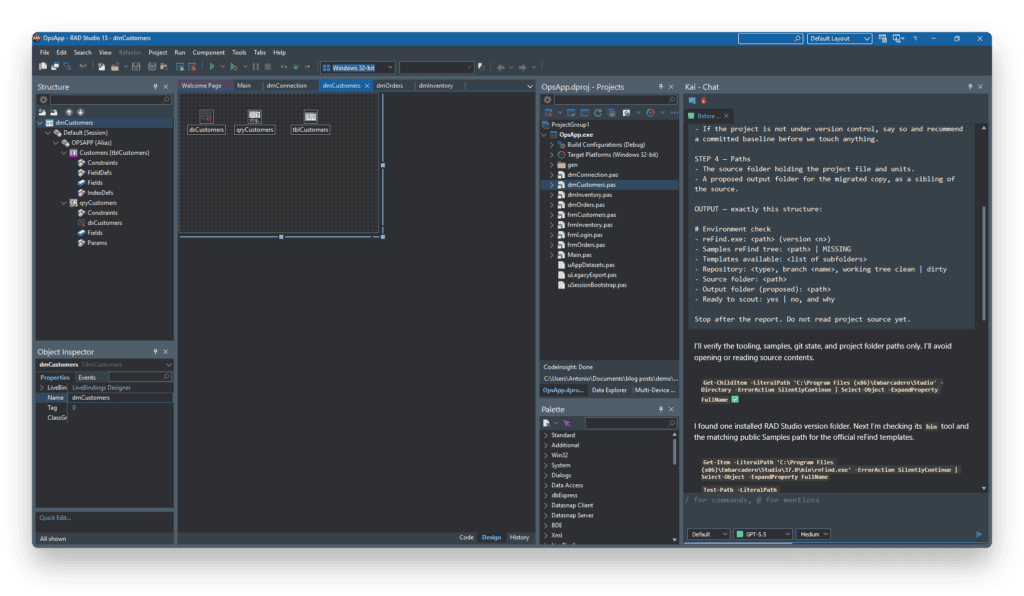
1. Scout (15-30 minutes with Kai)
Ask Kai to start by looking at the data modules and the unit that opens the database. Have it count occurrences of the legacy component types and identify how the application establishes its connections. BDE aliases, dbxconnections.ini, ADO connection strings, hard-coded DFM parameters, and so on. It’s also worth asking it to flag obvious custom descendants such as TAppQuery or TMyConnection.
You want a short migration summary: which database library is being used, roughly how much code is affected, and where the risky parts are.
2. Start from the official template
Pick the matching rule file from the installed Samples tree, for example:
C:\Users\Public\Documents\Embarcadero\Studio\<ver>\Samples\Object Pascal\Database\FireDAC\Tool\reFind\BDE2FDMigration\FireDAC_Migrate_BDE.txt
(or the ADO / dbExpress / IBX counterparts). Same <ver> tip as above. Remember: if the folder is missing, you didn’t install the Samples.
Those files already contain mappings for many of the common BDE-to-FireDAC changes, including TQuery ➜ TFDQuery, DatabaseName ➜ ConnectionName, transaction enums, #remove SessionName, and so on. They also document what is not directly supported in comments. Treat those comments as your risk checklist.
3. Customize lightly (this is where AI shines)
Feed Kai the template and your analysis findings. Ask Kai to adapt the reFind rules to your specific project: if required, mapping your own wrappers to their FireDAC types, a few property renames unique to your project, maybe an extra #unuse or #remove line for units you know are gone. Review the proposed lines. Prefer small, boring rules over clever regex. Then save something like FireDAC_Migrate_BDE_MyApp.txt next to the official file.
Once you are happy with the analysis and Kai has found all the potential issues, ask it to store the plan on your hard drive for future reference. That will help you use that plan file in future prompts in case something goes south and will save you both tokens and time.
4. Execute reFind
Run it in your brand new branch. Within the samples folder, migrate.bat files follow this pattern:
reFind.exe MyApp_FireDAC\*.pas MyApp_FireDAC\*.dfm /S /X:FireDAC_Migrate_BDE_MyApp.txt
Kai can assemble and run that command for you from the IDE agent workflow, but I’d recommend confirming the path and rule file before it fires on a large tree.
5. Finish with Kai’s compile-fix loop
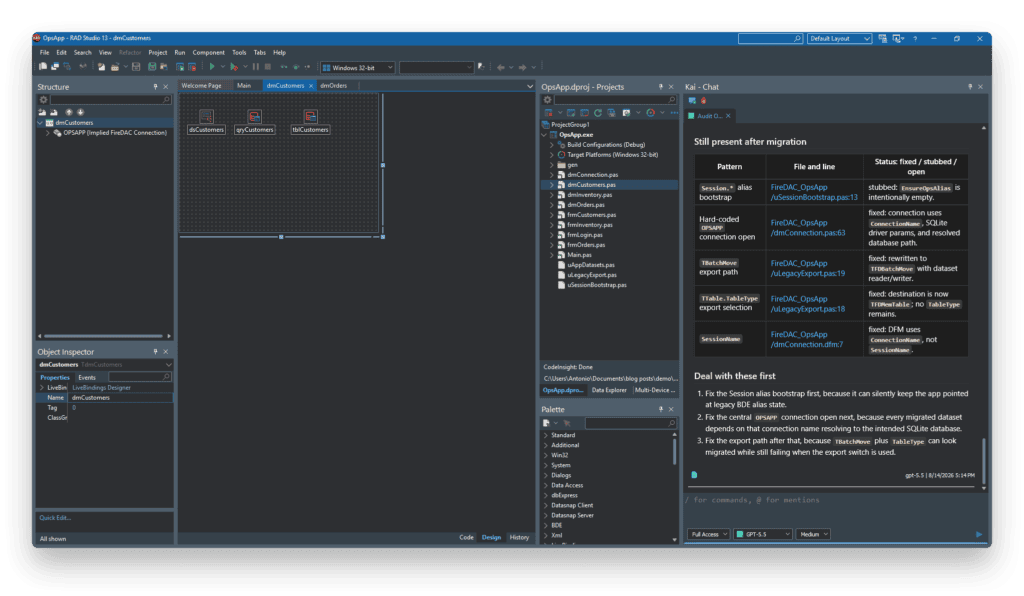
After reFind, you will potentially face leftover work. That is normal, and it is the part that used to look like “months.” Typical leftovers:
- FireDAC connection definitions (
FDConnectionDefs.ini/ConnectionDefName) instead of BDE aliases, dbExpress ini files, or raw ADO strings - Driver links and
TFDGUIxWaitCursor - APIs marked “not supported” in the rule file (
TSQLMonitor, some ADO recordset patterns, load-params helpers, …) - Event handlers still named after old components
- SQL or transaction patterns that need a FireDAC-shaped rewrite
Open the migrated project in RAD Studio, point Kai at the build errors, and let it iterate: fix ➜ compile ➜ read messages ➜ fix again. Stay in the IDE. That loop is the difference between paste-from-chat migration advice and an agent that can actually land the project.
What “a day” realistically means
The goal isn’t to guarantee a finished migration in one day. The goal is to get from “legacy data access everywhere” to a compiling FireDAC baseline in a day for a reasonably conventional application.
Very large projects (thousands of units, deep custom data layers, heavy ADO recordset usage) may still need a short hardening sprint after day one. Even there, the win is the same: the mechanical bulk work and the first compiling baseline stop being the multi-week sinkhole.
If you don’t feel confident, try it on the samples first
Embarcadero’s FireDAC tool demos (under the installed Samples path mentioned) are the safest rehearsal:
- BDE: MastApp under
reFind\BDE2FDMigration\Demo - dbExpress: MeetingOrganizer under
reFind\DBX2FDMigration\Demo - IBX: IB MastApp under
reFind\IBX2FDMigration\Demo
Run the local migrate.bat, open the generated FireDAC copy, then practice the Kai finish: connection definition, wait cursor, commenting obsolete ini-loading code, build until clean. Once you understand the workflow, you are ready for your own application.
Prompts and skills
A workflow is easier to hand over than to describe, so we are publishing this one as a small pack that you can use as a foundation and also understand the process better.
The repo includes two agent skills and seven prompts:
- firedac-migrate: the end-to-end workflow, plus a per-stack cheat sheet for BDE, ADO, dbExpress and IBX (what to search for, which official template to start from, and what reFind will not fix).
- refind-rulesmith: how to draft the few extra rules a project can need, and when to stop and change code instead.
- prompts 00–06: the same playbook one step at a time, including a short setup check and a leftover audit, for running a single stage or working with an agent that has no skill support.
A skill is a folder with a SKILL.md in it. From the pack root:
.\install-skills.ps1
That copies both skills to %USERPROFILE%\.agents\skills, which is where usually skills live (depends on the agent though). Start a new chat afterwards so they are picked up. Paths for other agents, and a fallback if yours has no skill support, are in the repo README.
The prompts are generic on purpose: expect to add your own base classes to the search list, and your own connection helper in the structural step.
Skills do not replace the official reFind templates. They teach the agent how to use them, and to stop when the template says an API has no FireDAC equivalent.
Closing
If you’re maintaining a BDE, ADO, dbExpress or IBX application, you don’t necessarily need to treat a FireDAC migration as a rewrite. Start with the existing reFind template, use Kai to identify the project-specific gaps, run the conversion on a branch, and then let Kai analyze and work through the compiler errors.
For a reasonably conventional business application, that can turn a migration that looks like a multi-week mechanical exercise into something you can get a working baseline for in a day.
Aside: reFind is not only for database components
The same engine that migrates TQuery to TFDQuery can drive other bulk modernizations: API renames across RAD Studio versions, removing obsolete DFM properties, enforcing house naming rules, or swapping third-party patterns with carefully reviewed rule files. If you are interested in more blog posts like this one, covering modernization and refactoring workflows or migrating code, let us know in the comments what you would like to see, and we will work on those ideas.

Reduce development time and get to market faster with RAD Studio, Delphi, or C++Builder.
Design. Code. Compile. Deploy.
Free Delphi Community Edition Free C++Builder Community Edition


