


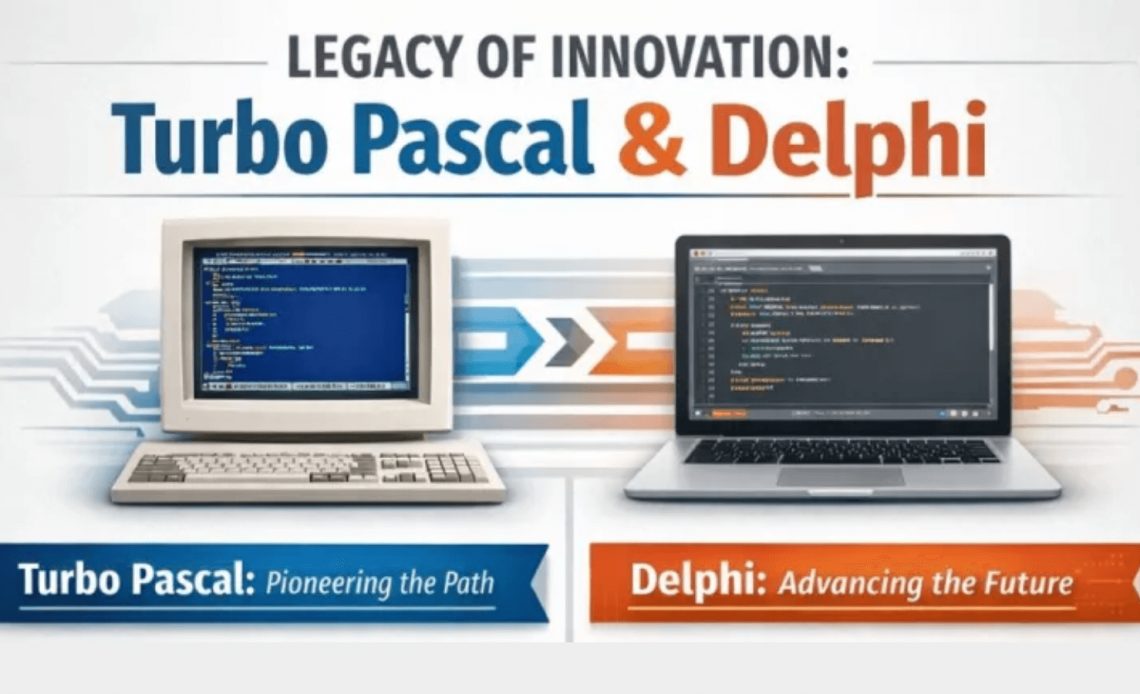
It’s hard to explain the physical strain of writing software if you weren’t there in the early 1980s. Looking back on my early days on the IBM PC and CP/M machines as a digital archaeologist, I recall the “edit/compile/link” cycle as a taxing endurance test. After writing your code in a simple editor and saving it to a noisy 5.25-inch floppy, you would need to run a compiler, which typically took two or three passes. The linker then appeared, and it worked for several minutes, extracting library code from another sluggish disk. A single typo resulted in five minutes of staring at a blinking cursor while the hardware churned.
Then, on November 20, 1983, a thunderbolt showed up in the form of a paperback book with a floppy disk and a shrink-wrapped price tag of $49.95. Turbo Pascal was the name. It was more than just a tool; it was a revelation that was fully stored in RAM, transforming the excruciating cycle of minutes into a “blink-and-it’s-done” experience that happened almost instantly. The fact that a 43-year-old language lineage has managed to endure and develop into a multi-device, AI-integrated powerhouse in 2025 is evidence of an architectural philosophy that placed a premium on speed and clarity.
Developers who attended the Software Development Conference’s Delphi version 1 launch in San Francisco on Valentine’s Day, February 14, 1995, witnessed a unique and thrilling moment in software history eleven years and three months later. According to reports, between 3,000 and 5,000 people attended the event, packing the venue to capacity. Developers referred to the excitement as “date night,” which generated a level of excitement and anticipation that is uncommon at technical conferences. The introduction of Anders Hejlsberg, the lead architect of Delphi (formerly Turbo Pascal), was a turning point. After that, developers watched Hejlsberg demonstrate the product, seeing how it combined raw native power with visual ease of use. They saw:
- Two-Way Tools: A “live” synchronization where changes in the visual form designer instantly generated source code, and changes in the code reflected immediately in the designer.
- Native Performance: Unlike Visual Basic, which was prevalent at the time but relied on a runtime interpreter, they saw Delphi compiling to native machine code executables with blazing speed.
- Component Reusability: The demo highlighted the Visual Component Library (VCL), showing how developers could drag-and-drop components (like buttons and database grids) and even create their own reusable components within the IDE.
Following the presentation, the Borland booth, which had been demonstrating Borland Pascal, switched to demonstrating Delphi. For the remainder of the conference, the booth held overflowing crowds watching demos of the new tool that promised “the ease of VB with the power of C++”.
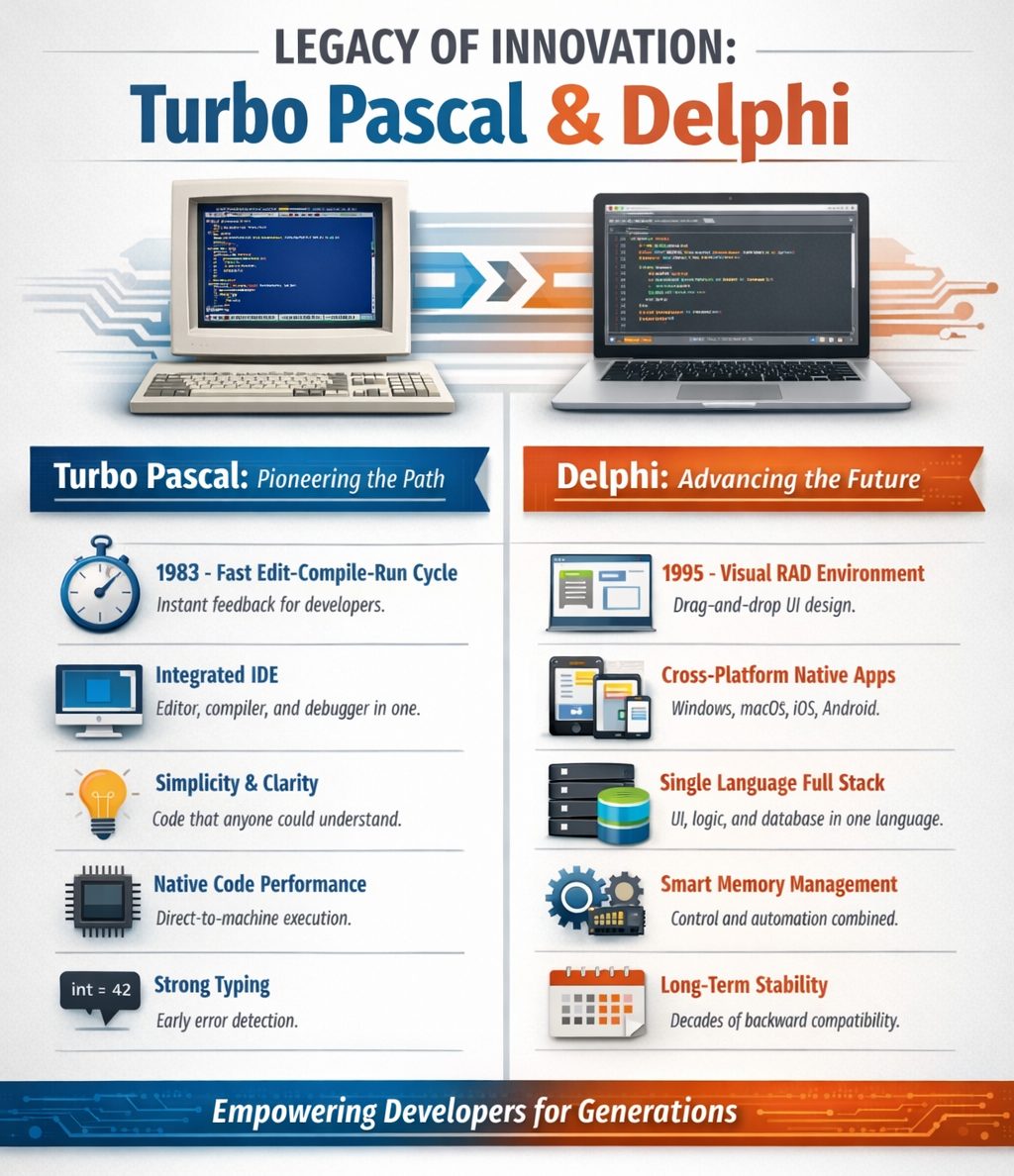
Table of Contents
Turbo Pascal – A Trusted Programming Advantage (1983-1994)
Turbo Pascal trusted the programmers that used it. That trust created better software and better programmers. The following list include the core principles that led to the initial success of Turbo Pascal.
1. The Programmer’s Time Is Sacred
Fast “edit, compile and run” is not a luxury. It is the core feedback loop of thought itself.
2. Simplicity Is a Feature
If a program cannot be understood end-to-end, it is already broken. Complexity must justify itself, always!
3. Native Code Is the Baseline
Performance is not an optimization. It is a promise to the user and a sign of respect for the machine.
4. Clarity Beats Cleverness
Readable code outlives fashionable tricks. Write for the human who will read it next.
5. Strong Types Teach Better Programs
Types are not bureaucracy. They are executable documentation and early truth.
6. The Whole Program Should Fit in Your Head
A developer should be able to reason about the entire system without consulting an oracle, a build server, or a wiki.
7. Errors Should Be Immediate and Honest
Fail fast. Fail loudly. Fix once.
8. Tools Should Empower, Not Obscure
An IDE exists to amplify understanding, not to hide behavior behind ceremony.
9. You Own the Solution
Your code. Your memory. Your executable. Responsibility is power.
10. Productivity Is a Moral Choice
Software that is easy to build, ship, and maintain is kinder — to developers and users alike.
Timeline of Turbo Pascal Releases
The timeline of Turbo Pascal releases spans from its origins in the early 1980s through its evolution into Borland Pascal and eventually Delphi.
Pre-Release Origins (1980–1983)
Before becoming Turbo Pascal, the compiler was developed by Anders Hejlsberg.
- 1980: Anders Hejlsberg wrote a Pascal compiler for the Nascom-2 microcomputer, marketed as Blue Label Software Pascal (or BLS Pascal).
- 1982: This evolved into PolyPascal (or Compas Pascal) for the CP/M operating system. Borland later licensed this core to create Turbo Pascal.
Turbo Pascal Era (1983–1992)
Turbo Pascal 1.0
- Release Date: November 20, 1983.
- Platforms: CP/M, CP/M-86, and MS-DOS.
- Key Features: It was the first integrated development environment (IDE) combining an editor, compiler, and linker in memory. It produced .COM executable files, had a 64KB code size limit, and retailed for $49.95.
Turbo Pascal 2.0
- Release Date: April/May 1984.
- Key Features: Introduced automatic overlays (allowing programs larger than 64KB), windowing support, and optional support for the 8087 math coprocessor.
Turbo Pascal 3.0
- Release Date: April 1985.
- Key Features: Featured faster compilation (2x speed of 2.0), Turtle Graphics, and optional BCD (Binary Coded Decimal) math support.
- Update: Version 3.02 was released on September 17, 1986.
Turbo Pascal for Macintosh
- Release Date: 1986.
- Key Features: Ported the compiler to the Motorola 68000 architecture and provided access to the Mac toolbox.
Turbo Pascal 4.0
- Release Date: November 20, 1987.
- Key Features: A major rewrite that dropped CP/M support. It introduced Units (separate compilation), allowing for modular programming. It compiled to .EXE files rather than .COM and featured a new full-screen user interface with pull-down menus.
Turbo Pascal 5.0
- Release Date: August 24, 1988.
- Key Features: Introduced source-level debugging (integrated debugger) and the signature blue editor background used in subsequent versions. It also supported EMS (Expanded Memory Specification) and overlays via a standard unit.
Turbo Pascal 5.5
- Release Date: May 2, 1989.
- Key Features: Introduced Object-Oriented Programming (OOP) to the line, including classes, inheritance, constructors, and destructors. This was released partly in response to Microsoft’s QuickPascal.
Turbo Pascal 6.0
- Release Date: October 23, 1990.
- Key Features: Introduced Turbo Vision, an object-oriented application framework for creating windowed text-mode applications. It also added inline assembly and mouse support within the IDE.
Turbo Pascal for Windows (TPW)
- Version 1.0: Released February 13, 1991. Based on Turbo Pascal 6.0 logic but for Windows.
- Version 1.5: Released June 8, 1992.
- Key Features: Included the Object Windows Library (OWL) framework.
Turbo Pascal 7.0 / Borland Pascal 7.0
- Release Date: October 27, 1992.
- Key Features: The final version of the DOS line. It included syntax highlighting and the ability to create DOS, Windows executables, and DLLs.
- Editions: Released as “Turbo Pascal 7.0” (entry-level) and “Borland Pascal 7.0” (professional, including DOS and Windows IDEs and compilers).
Succession
Following version 7.0, Borland ceased the Turbo Pascal line to focus on its successor, Delphi, which launched on February 14, 1995, transitioning the language into a full Rapid Application Development (RAD) environment for Windows.
Delphi – RAD: From Prototype to Production (1995-Today)
This list covers some of the key attributes that have driven the releases of Delphi.
1. Productivity Is a First-Class Feature
Fast feedback beats theoretical perfection. If the tool slows the developer, the tool is wrong.
2. Native Code Is Not Optional
Applications should compile to the platform they run on. Performance, predictability, and efficiency are features, not afterthoughts.
3. One Language, One Mindset
A single language should carry you from UI to database to network. Context switching is a tax and Delphi refuses to collect it.
4. Visual Design and Code Are Equals
What you design is what runs. Design-time and runtime must agree, or neither can be trusted.
5. Clarity Outlives Fashion
Readable code survives frameworks, teams, and decades. Cleverness expires. Intent endures.
6. Strong Typing Is a Tool for Thought
Types express intent, enforce contracts, and catch mistakes early. They are allies, not obstacles.
7. You Control Object Lifetime
Memory management should be deterministic when needed, automatic when helpful. The developer decides. not a hidden runtime.
8. Frameworks Serve the Application
Libraries should assist, not dictate. Your architecture belongs to you.
9. Cross-Platform Without Compromise
Write once does not mean lowest common denominator. Native access must always be available.
10. The IDE Is Part of the Language
Refactoring, debugging, inspection, and design are not add-ons. They are expressions of the language itself.
11. Software Is Meant to Live
Code should age gracefully. Upgrades should be evolution, not rewrites.
12. Trust the Developer
Give professionals powerful tools. Power creates responsibility and responsibility creates quality.
Why Delphi Still Matters
Delphi remains relevant because it optimizes for what organizations actually need:
- Speed to market
- Low operational complexity
- Predictable performance
- Long-term maintainability
While some modern developer tools and programming languages emphasize trends, Delphi emphasizes results.
1. Faster Delivery With Smaller Teams
Delphi combines:
- Visual design
- Strong typing
- Native compilation
- A single programming language
This enables small, experienced teams to deliver production-grade software quickly, without assembling a large, multi-tool pipeline.
Business impact
- Lower staffing costs
- Faster feature delivery
- Less onboarding time
2. Native Performance Without Runtime Risk
Delphi applications compile directly to native code:
- No virtual machines
- No JIT warm-up
- No garbage collection pauses
- Predictable memory behavior
Business impact
- Consistent performance
- Lower infrastructure requirements
- Reduced production incidents
3. Simple Deployment Reduces Operational Cost
Delphi applications typically deploy as:
- A single executable (desktop/server)
- A native app bundle (macOS)
- Standard mobile binaries (iOS/Android)
No runtime installations. No framework version mismatches.
Business impact
- Fewer deployment failures
- Easier IT operations
- Faster customer installations
4. Long-Lived Code Means Lower Total Cost of Ownership
Delphi codebases regularly remain viable for 10–25+ years. Upgrades are evolutionary, not rewrites.
Business impact
- Lower rewrite costs
- Stable institutional knowledge
- Predictable upgrade paths
5. One Language Across the Stack
Delphi uses a single, strongly typed language for:
- User interfaces
- Business logic
- Database access
- Networking and APIs
- System integration
Business impact
- Reduced training overhead
- Fewer integration bugs
- Easier cross-team collaboration
6. Cross-Platform Without Web Stack Overhead
Delphi supports:
- Windows
- macOS
- Linux
- iOS
- Android
Using native compilers and frameworks, not embedded browsers.
Business impact
- Better performance
- Lower memory usage
- True platform integration
7. Lower Framework Churn Risk
Delphi prioritizes backward compatibility and stability. Major rewrites driven by framework obsolescence are rare.
Business impact
- Reduced technical debt volatility
- Stable roadmaps
- Lower long-term risk
8. Engineering Transparency and Control
Delphi encourages:
- Clear code
- Explicit object lifetime
- Visible system behavior
There is less “magic” and fewer hidden layers.
Business impact
- Easier debugging
- Faster issue resolution
- Greater engineering confidence
Timeline of Delphi Releases
This timeline traces the evolution from the initial launch by Borland to the AI-enhanced versions released by Embarcadero in 2025.
The Borland Years (1995–2006)
Delphi launched as a “VB Killer,” bringing the structure of Object Pascal and native compilation to visual Windows development.
- Delphi 1 (February 14, 1995): Launched on Valentine’s Day at the Software Development Conference. It featured the Visual Component Library (VCL), the Borland Database Engine (BDE), and support for 16-bit Windows 3.1.
- Delphi 2 (February 10, 1996): Introduced 32-bit Windows 95 support, long strings (breaking the 255-character limit), visual form inheritance, and the database grid.
- Delphi 3 (August 5, 1997): Added COM-based interfaces, Code Insight (code completion), WebBroker, ActiveForms, and component packages.
- Delphi 4 (June/July 1998): Released under the “Inprise” brand. Features included dynamic arrays, method overloading, and docking support in the IDE. This release was criticized for bugs at launch.
- Delphi 5 (August 10, 1999): Introduced Frames, ADO database support, and parallel development features. It is considered a very strong release.
- Delphi 6 (May 21, 2001): Added support for SOAP web services, dbExpress, and the Structure Window. It was the first version to support cross-platform development via Kylix (Linux).
- Delphi 7 (August 9, 2002): Regarded as the “peak” of the classic era. It added Windows XP themes and web app development tools. It remained the standard for many developers for years due to its stability.
- Delphi 8 (December 22, 2003): A .NET-only release. It introduced the “Galileo” docked IDE interface but was criticized for its inability to produce native Win32 applications.
- Delphi 2005 (October 12, 2004): Reintroduced Win32 support alongside .NET in a unified IDE. Added
for..inloops and refactoring tools. - Delphi 2006 (November 23, 2005): Stabilized the IDE and added operator overloading and FastMM. In September 2006, “Turbo” editions were released.
The CodeGear Transition (2007–2008)
Borland spun off its developer tools division into a subsidiary named CodeGear.
- Delphi 2007 (March 16, 2007): The first CodeGear release. It added MSBuild support, Windows Vista “glassing” effects, and DBX4.
- Delphi 2009 (August 25, 2008): A massive architectural shift that introduced full Unicode support (breaking change for
Stringtypes). It also added Generics and Anonymous Methods. Support for .NET was dropped.
The Embarcadero Era (2008–Present)
Embarcadero acquired CodeGear in 2008, shifting focus to cross-platform capabilities via FireMonkey and modernizing the language.
The XE Series (Cross-Platform Expansion)
- Delphi 2010 (August 25, 2009): Added Windows 7 support, touch/gestures, and extended RTTI.
- Delphi XE (August 30, 2010): Features included regular expressions, cloud support (Azure/EC2), and Subversion integration.
- Delphi XE2 (September 2, 2011): A milestone release introducing FireMonkey (FMX) for cross-platform UIs, 64-bit Windows support, and macOS compilation.
- Delphi XE3 (September 3, 2012): Added Windows 8 Metropolis UI and sensor components.
- Delphi XE4 (April 22, 2013): Introduced iOS support and the FireDAC universal data access library.
- Delphi XE5 (September 11, 2013): Added Android support.
- Delphi XE6 (April 15, 2014): App Tethering and Windows 7/8.1 styles.
- Delphi XE7 (September 2, 2014): Introduced the Parallel Programming Library and FireMonkey multi-device designer.
- Delphi XE8 (April 7, 2015): Added the GetIt Package Manager and map components.
The “10” Series (Modernization)
- Delphi 10 Seattle (August 31, 2015): Official Windows 10 support, High-DPI awareness, and MongoDB support.
- Delphi 10.1 Berlin (April 20, 2016): Desktop Bridge support and improved Android 6.0 compatibility.
- Delphi 10.2 Tokyo (March 22, 2017): Introduced Linux 64-bit support (Enterprise edition).
- Delphi 10.3 Rio (November 21, 2018): Added inline variable declarations, type inference, and updated the IDE UI.
- Delphi 10.4 Sydney (May 26, 2020): Major tooling upgrade with LSP (Language Server Protocol) for Code Insight and unified memory management (ARC removed from mobile platforms).
The Current Era (AI and 64-bit IDE)
- Delphi 11 Alexandria (September 9, 2021): Features a High-DPI enabled IDE (4k support) and macOS ARM 64-bit (M1/Silicon) compilation.
- Delphi 12 Athens (November 7, 2023): Included Skia graphics support, multiline string literals, and a major C++ compiler overhaul.
- 12.1 (April 2024): Split editor views.
- 12.2 (September 2024): Introduced “Smart CodeInsight” AI coding helpers.
- 12.3 (March 2025): Initial release of the 64-bit IDE (preview) and WebStencils library.
- Delphi 13 Florence (September 10, 2025): Released with a full 64-bit IDE, a new native ternary operator (
if-then-else), SmartCore AI components, and “NameOf” intrinsic.
Enduring Legacy, Impact, and Continuous Innovation
The journey from a $49.95 floppy disk in 1983 to an AI-integrated, GPU-powered framework in 2025 is one of the most remarkable stories in computing history. Whether it was Borland, Inprise, CodeGear, or Embarcadero at the helm, the mission has remained the same: delivering high-performance code with a focus on developer productivity.
In our modern world of bloated frameworks and endless dependencies, the legacy of the “fastest one-pass compiler” offers a vital lesson. Clarity, speed, and architectural foresight are timeless. We have moved from the Z80 to the cloud, but the need for code that is both human-readable and machine-efficient has never changed.
The architectural and product choices made in Turbo Pascal and Delphi have had a lasting influence on the software industry:
- Modern Language Design: Anders Hejlsberg, the chief architect of Turbo Pascal and Delphi, later moved to Microsoft to design C# and TypeScript. Many features pioneered or popularized in Delphi such as properties, delegates (events), and the component-based development model directly influenced the design of the .NET framework.
- Cross-Platform Architecture: Modern Delphi (via the FireMonkey/FMX framework introduced in XE2) allows a single codebase to compile natively for Windows, macOS, iOS, Android, and Linux. This realizes the “write once, compile everywhere” goal using native code rather than virtual machines.
- Long-Term Viability: The stability of the RTL, VCL, FMX and the language means that mission-critical applications written decades ago can still be maintained and modernized today. As of 2025, Delphi continues to be used in industries like healthcare, manufacturing, and logistics due to its reliability and compilation speed.
- TIOBE Resurgence: In January 2026, Delphi re-entered the TIOBE Index Top 10, overtaking languages like Go and Rust, driven by its mature cross-platform capabilities and legacy stability.
In an industry that moves as fast as ours, which of the programming languages, development tools and other modern “innovations” you use today will you still be using years from now?



Reduce development time and get to market faster with RAD Studio, Delphi, or C++Builder.
Design. Code. Compile. Deploy.
Free Delphi Community Edition Free C++Builder Community Edition


Very nice.
I remember my first Turbo Pascal 1 and all successive upgrades then up to XE 13 Florence today.
It always was a magic moment to get a new release. Also, reading the Delphi Unleashed thick books was also a pleasure, feeling on familiar grounds.
Keep up the good work.
The only downside here is that if this line of products is 43 year old, that means I also got those 43 years !
Inprise was completely skipped? That was a disaster….
Yes, it was the best of times, it was the worst of times, yet we forgot to remove Windows ME and Windows Phone during our rewriting of history…
Just kidding 🤪
It wasn’t skipped intentionally on the timeline – for example, Borland and Ashton Tate do not explicitly appear on there either and that was obviously a significant starting point. The trouble is, over the years, this chart has got HUUUUUUGE and I think some of the annotations were removed or simply not put in there. I’ll speak to the team and see if we can put Inprise back in their rightful place.