Intro
Grid systems represents an important part of the UI design for database applications – a key application type for RAD Studio users. Aware of that Embarcadero is providing a full version of the powerful teeGrid from Steema Software for both VCL and FMX as part of the current RAD Studio promo (the promo also brings Interbase ToGo and DerScanner, depending on the RAD Studio, Delphi or C++ Builder edition you select)!
If you want to give it a try, there is a trial version available directly from Steema website. The installer is also packed with a good amount of samples and documentation, which are also accessible from their Github page.
Getting started with teeGrid for VCL and FMX
Despite the good set of samples that are available provided by Steema, I decided to build something from scratch to better explorer some specific features that caught my attention when visiting the product documentation.

You can check out and download the entire demo from my Github demos repository, but I’d like to emphasize some of the interesting features I selected for this sample. Notice this is a VCL based application, but the same features are also available for FMX.
- Applying a theme: if your app is using a theme, you can apply the current theme to the Grid with just one line of code:
|
1 |
TVCLGridThemes.ApplyTo(TeeGrid1); |
- Formatting one or more columns: you can apply specific formats to one or more columns, for example:
|
1 2 |
TeeGrid1.Columns[0].ParentFormat := False; TeeGrid1.Columns[0].Format.Font.Color := clRed; |
- Formatting one or more cells: you can apply specific formats to one cell based on the values and etc:
|
1 2 3 4 5 6 7 8 9 10 11 12 13 14 |
TeeGrid1.Columns['SALARY'].OnPaint := myPaint; ... procedure TMainForm.myPaint(const Sender: TColumn; var AData: TRenderData; var DefaultPaint: Boolean); begin DefaultPaint := True; if AData.Data.ToDouble <= 27000 then begin AData.Painter.SetFontColor(clRed); AData.Painter.Fill(AData.Bounds, clYellow); end else AData.Painter.SetFontColor(clBlack); end; |
- Locking one or more columns: you can lock columns in order to provider a better data navigation
|
1 2 3 4 |
TeeGrid1.Columns['EMP_NO'].Locked := TColumnLocked.Left; TeeGrid1.Columns['EMP_NO'].ParentFormat := False; TeeGrid1.Columns['EMP_NO'].Format.Brush.Show; TeeGrid1.Columns['EMP_NO'].Format.Brush.Color := TColors.Navajowhite; |
- Row Heights can be adjusted as well via code
|
1 2 |
TeeGrid1.Rows.Height.Automatic := False; TeeGrid1.Rows.Height.Value := 50; |
- Range Selections allow the user to select and copy data directly from the grid
|
1 2 3 |
TeeGrid1.Selected.Range.Enabled := True; ... Clipboard.AsText := TCSVData.From(TeeGrid1.Grid, TeeGrid1.Selected); |
- Row Totals can be added on the fly, for example
|
1 2 3 4 5 6 7 8 9 10 11 12 |
var Totals: TColumnTotals; begin Totals := TColumnTotals.Create(TeeGrid1.Footer); Totals.Calculation.Add('Salary', TColumnCalculation.Sum); Totals.Format.Brush.Gradient.Visible := False; Totals.Format.Brush.Gradient.Visible := False; Totals.Format.Brush.Color := clYellow; Totals.Format.Brush.Visible := True; Totals.Format.Font.Size := 9; Totals.Format.Font.Style := [fsBold]; end; |
- You can also add groups with subgrids, and order the data by clicking on the columns title by adding just few lines of code, like you can check in the demo I shared.
Conclusion
The Steema teeGrid System can be very useful while you are modernizing an existing solution or creating a new one, supporting not only VCL but also FMX on different platforms, like this sample running on Linux:
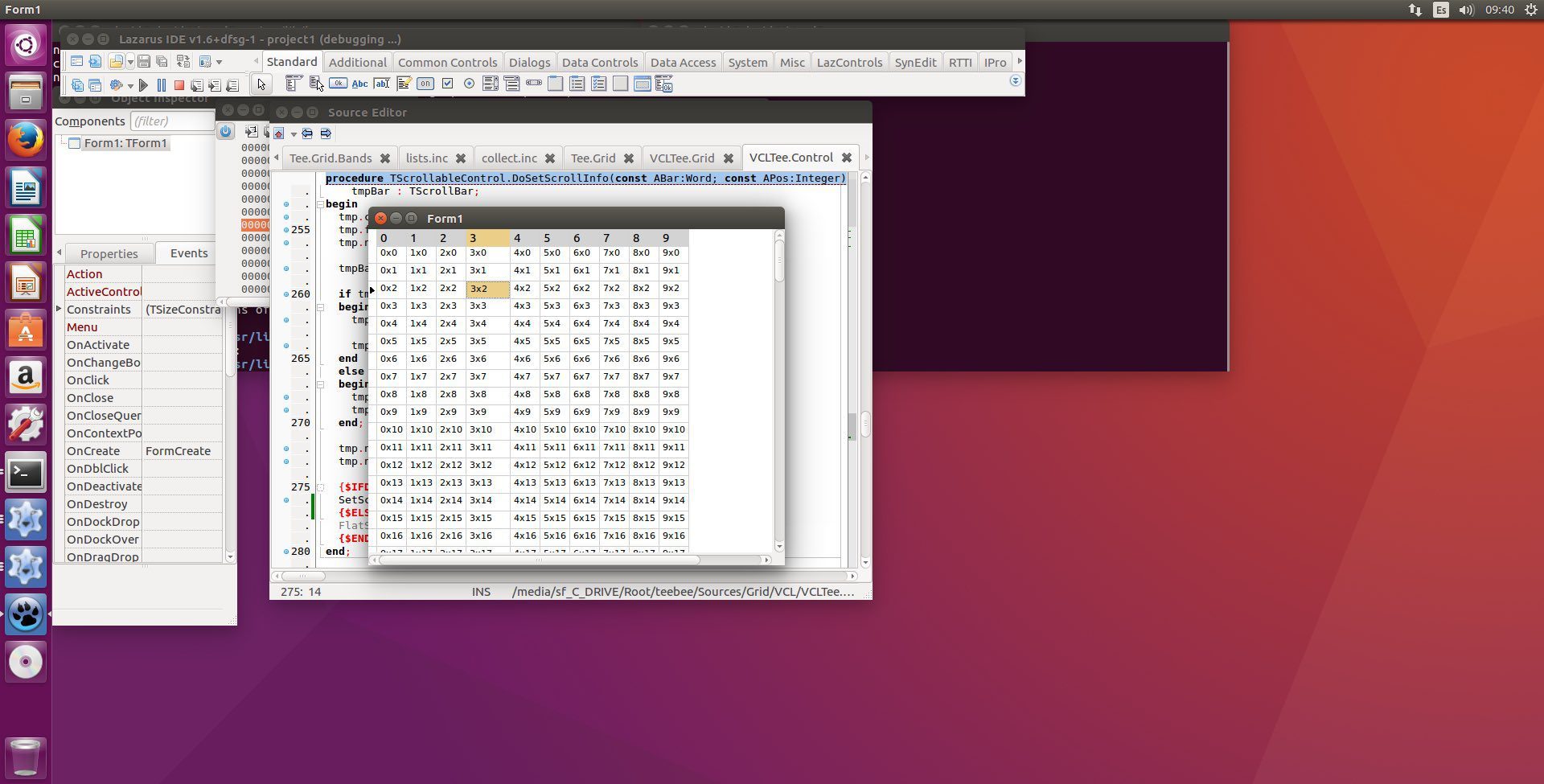
To know more about the current promo and all the details, please, visit the RAD Studio Offers Page, or contact your sales representant!



Reduce development time and get to market faster with RAD Studio, Delphi, or C++Builder.
Design. Code. Compile. Deploy.
Free Delphi Community Edition Free C++Builder Community Edition