



Table of Contents
Kai Summer Wave Webinar Series – 5 Great Days
By David I and Gemini Notebook
Last Updated August 22, 2026
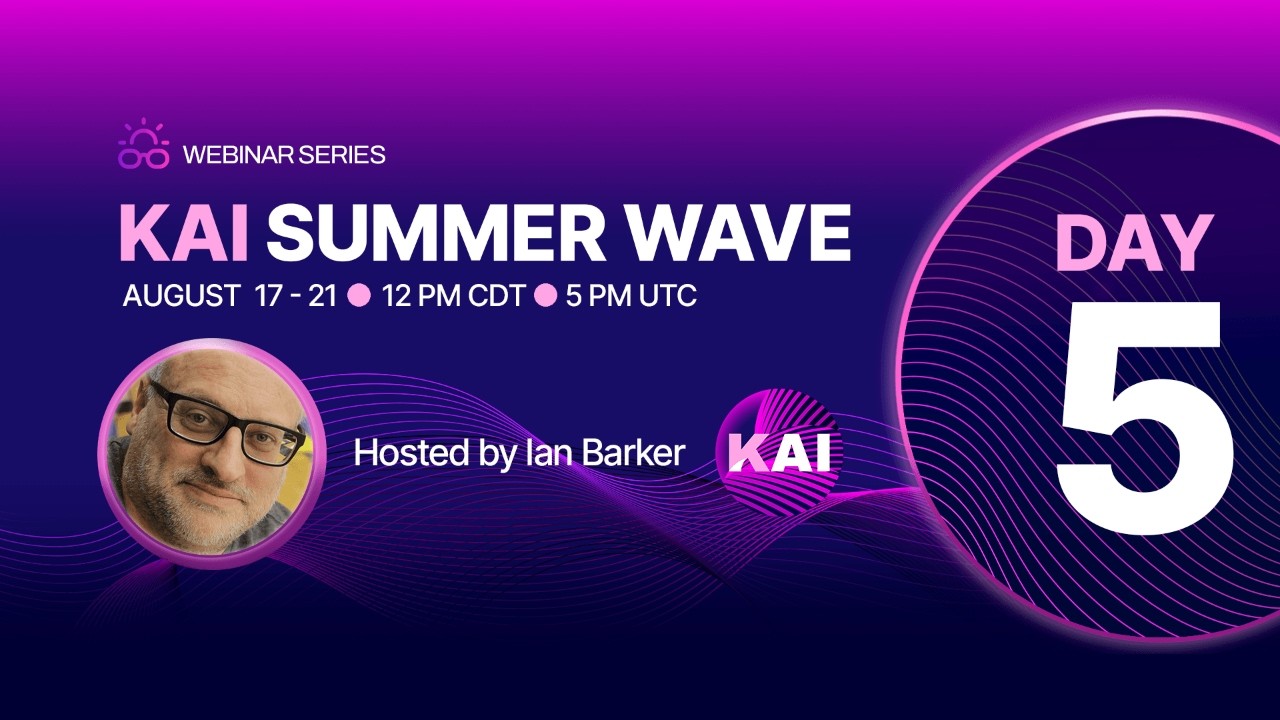
Kai Summer Wave Webinar Introduction
The provided transcripts document a multi-day webinar series hosted by Embarcadero Technologies to showcase Kai, an AI-powered productivity tool integrated into the RAD Studio development environment. The presenter details how Kai assists software developers by generating code, modernizing outdated user interfaces, and automating repetitive “boilerplate” tasks in both Delphi and C++. Throughout the sessions, the host demonstrates the tool’s versatility by featuring community-submitted projects, such as a modernized Pac-Man clone and a high-performance 3D world framework. A significant portion of the discussion focuses on the rapidly evolving landscape of artificial intelligence, comparing various large language models like Claude, Gemma, and Quen. The series emphasizes a “bring your own key” philosophy, allowing developers to choose between cloud-based services or local LLMs to maintain data privacy. Ultimately, the webinars advocate for embracing AI as an essential partner in modern software engineering to stay competitive in an industry experiencing profound technological shifts.
Awesome Host = Ian Barker
Iam Barker has always done a great job (in person and online) to help Delphi and C++Builder developers become better developers in his demos, conversations with developers, answering questions and emails and most importantly listening (and learning) from our community members. I give Ian an 11 (out of 10) for the “summer of Kai”.
I can’t wait to see what Ian does to top this event effort. How about a 24 hours of Kai webinar (around the world, around the clock)? I would definitely help Ian accomplish this!
😀
My favorite use of Kai – PasClaw (on day 5)
First off, I loved all of the five days of sessions. I will be going through all of the videos (multiple times) to learn more about Kai and think about projects that I want to build. The fifth day ended by showcasing an awesome solution, PasClaw by Eli of FMX Express who did a walkthrough of Pasclaw, an open-source, agentic coding assistant designed for Delphi.
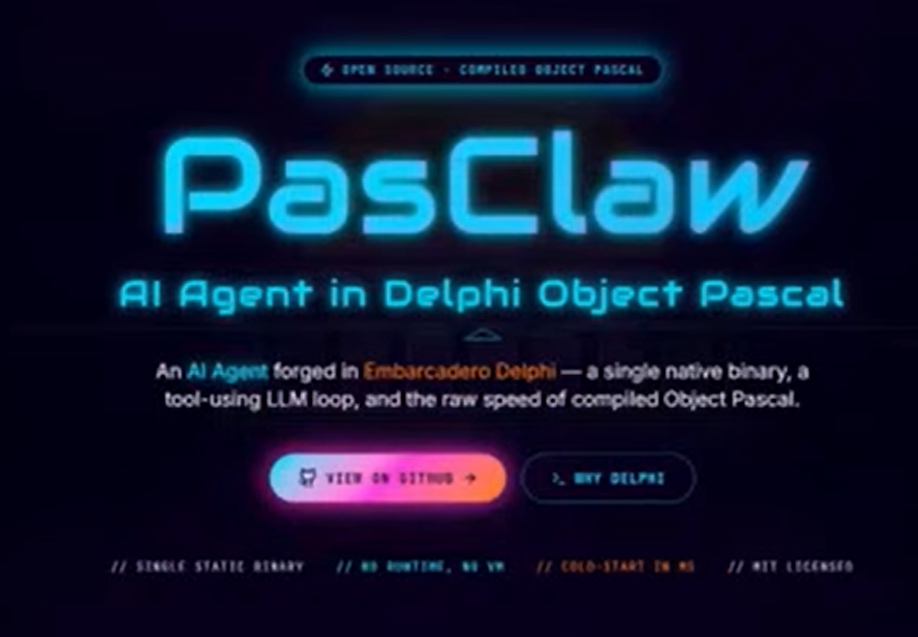
The project home page talks about Pasclaw as an AI Agent forged in Embarcadero Delphi — a single native binary, a tool-using LLM loop, and the raw speed of compiled Object Pascal.
From the GitHub repo readme file:
PasClaw is an ultra-lightweight personal AI agent written in Delphi Object Pascal. It is a Delphi/FPC port inspired by picoclaw, with a command-line assistant, tool calling, MCP integration, an HTTP gateway, an OpenAI-compatible API surface, a small embedded web UI, scheduled tasks, skills, and channel integrations. The main program lives at src/pasclaw/PasClaw.dpr. It initializes terminal color handling, prints the banner, applies timezone configuration, and dispatches into the command tree implemented under src/cmd/.
You can watch the Pasclaw video segment from day 5 using the following URL:
https://youtu.be/eJXY9QPazcc?t=5937
Pasclaw Home page: https://pasclaw.dev/
Pasclaw GitHub Repo: https://github.com/FMXExpress/PasClaw
About Kai and RAD Studio
Kai is an AI-powered development workflow tool designed specifically for Delphi, C++Builder, and RAD Studio. Maintained and supported by Embarcadero/Idera, Kai is delivered directly to developers via RAD Studio’s GetIt Package Manager.
Because the AI landscape shifts rapidly, delivering Kai as an add-on package rather than embedding it directly into the core IDE allows the development team to update and iterate on it frequently.
What Kai Does
Kai acts as an intelligent coding companion that can handle a wide variety of tasks:
- Code Generation and Modernization: It can quickly generate boilerplate code, write specific Pascal or C++ classes, and modernize legacy code (such as converting old Delphi 7 code to make it Unicode-compatible or updating C++ projects to work with newer Windows SDKs).
- UI Design & Prototyping: It can build working UI prototypes and help spruce up or modernize the look and feel of “tired” or “slab of gray” user interfaces.
- General Querying and Translation: Beyond writing code, Kai’s underlying AI can translate string blocks (such as translating UI embedded text from Korean to English) or answer general development questions.
- Flexible “Bring Your Own Key” (BYOK) Model: Instead of forcing you to use a specific AI provider, Kai operates on a BYOK model. You can connect it to proprietary cloud models (like Anthropic’s Claude Pro) or keep your code entirely secure on your local network by using offline, open-weight local LLMs (like Qwen Coder 3.8 or Meta’s Llama models running on Ollama or LM Studio).
How Kai Integrates with RAD Studio
Kai is tightly integrated directly inside the RAD Studio IDE to keep you in your development flow. Key integration features include:
- Dedicated Chat Panel: A chat window lives inside the IDE, allowing you to converse with the AI as you write code.
- Multiple Session Options: Within RAD Studio, you can run and manage multiple distinct chat sessions simultaneously—for example, you can have a local session, a Claude session, and a Copilot session open at the same time depending on the task.
- Ghost Text (Inline Code Completion): Kai provides “ghost text” completions—essentially predictive code completion on steroids. It uses a “Fill in the Middle” (FITM) technique to look at both the preceding and following code in your active editor window and predict complete multi-line blocks of code as you begin typing.
- Project File Referencing (
@Symbol): You can type the@symbol in the Kai chat window to dynamically pull up and reference files from your active RAD Studio Project Manager. Kai intercepts these references, gets the file content, and supplies it directly to the LLM so the AI is fully aware of your local files when generating solutions. - Custom Styling with
/initandagents.md: Typing the/initslash command in the chat window generates anagents.mdfile in your active project directory. You can edit this file to instruct the AI on your specific coding guidelines (e.g., camel case rules, requiring uppercase variables, or mandating that every new class must be accompanied by a unit test). - MCP (Model Context Protocol) Support: Kai supports MCP, which acts as the “hands” for the AI, allowing it to call external tools directly. For example, the AI can interface with databases (like an InterBase MCP server) or run behind-the-scenes command-line actions (such as generating GUIDs, compiling projects, and performing smoke tests).
- Context Control via
/compact: Because conversations grow in length and can quickly hit an LLM’s context token limit, you can type/compactto have the AI summarize the conversation, clearing up memory without losing the thread of the discussion.
Sumaries of each Day’s presentations and demos
The Kai Summer Wave webinar series featured a wide range of demonstrations highlighting artificial intelligence as a productivity force multiplier in Delphi and C++ development. These presentations ranged from live coding exercises to benchmarks and community-submitted projects.
The webinars showcased the following major demonstrations, categorized by project type:
1. Live AI-Driven Development Demos (Ian Barker)
In these sessions, the host demonstrated Kai’s real-time capabilities within the RAD Studio IDE:
- C++ Modernization & Graphics Swap (The “Starman” Demo): On Day 1, Ian demonstrated how Kai could modernize a legacy C++ project. He imported a community emulation of Pac-Man (which wouldn’t compile). Kai scanned the error logs, identified missing SDK paths, stripped out incorrect framework files, and successfully compiled the project. To resolve Bandai Namco trademark restrictions, Ian then spent four minutes instructing the AI to convert the game graphics. Without writing a line of code himself, the AI located the drawing routines, replaced the Pac-Man character with a rocket ship, changed the ghosts to stars, and even renamed the underlying variables (e.g., from “pills” to “stars”).
- Delphi FTP Server Console App: On Day 3, to counter a customer claim that running a local LLM to generate a basic “Hello World” took nearly three hours, Ian recorded an 8-minute real-time video using a pre-release version of Kai. He prompted the AI to build a Delphi console project for a simple FTP server to serve a markdown document on port 2121. Kai successfully integrated Indy network components, automatically resolved typical AI gaps like inserting GUIDs, and compiled the project. Ian then ran a smoke test and successfully logged into the live server via the command prompt to retrieve the file.
- Busy Bar Vibe-Coding (Cloud vs. Local): On Day 4, Ian programmed a Delphi VCL app to connect to a physical “Busy Bar” device—an LED Pomodoro status display featuring a HTTP API. He compared Cloud-based Claude Code with a local Quen 3.8 (27B) model running via Olama on a MacBook Pro M5 Pro.
- Claude Code took roughly 10 minutes to scan the API documentation and generate the connection files.
- Local Quen 3.8 completed the exact same prompt even faster, generating a far more comprehensive solution, which included dfm layout files. The final Delphi app successfully pushed text (“Delphi”) directly to the physical display.
2. The Webinar “Local Model Cage Fight” Demo (Day 3)
Ian set up a direct reasoning and speed benchmark between frontier local models and cloud-based giants. Using Olama on a MacBook Pro M5 Pro (48GB unified RAM), he challenged the models with an advanced Delphi interview question: “What is the utility of delegating an interface implementation to a property?”:
- Quen 3.8 (27B) (Winner): Thought for 5.8 seconds. It immediately recognized it was a trick question, detailed how the adapter pattern and aggregation works in Object Pascal, and generated robust code examples.
- Muse Glimmer (30B): Took 15.6 seconds. It struggled with its web-search functions but eventually retrieved Stack Overflow contexts to answer.
- Gemma 4: Took 10.8 seconds but failed to generate actual code examples, offering only conceptual summaries.
3. Community Giveaway Showcase Projects
Throughout the week, Ian showcased projects built or updated by developers using Kai as part of the campaign’s giveaways:
- Rock Quest (Stefan Vanderlock / “Loki”): The campaign’s overall pick. This is an incredibly polished mobile hide-and-seek game for children. The developer used AI to generate the visual graphics, Kai to handle structural coding, and styled the game beautifully using his custom Alcino (FMX material design) library.
- Join the Dots (Allister Christie / learny.tv): Winner of the “People’s Choice Award”. A Delphi connect-the-dots game built and “vibe-coded” with Kai’s assistance. Allister recorded a popular video series walking through the creation process.
- DJ Music Reactive Animation (Audio Node): A complex sound-reactive visualization system that links audio and MIDI inputs to live camera outputs and 3D visual effects. The developer utilized Kai to create the node-to-node connectors (conceptually similar to LiveBindings). Kai compressed his development timeline from months down to just weeks.
- Glyph View UI Modernization: An existing application originally written in the “slab of gray” Delphi 7 era. The developer had avoided updating it for years due to the tedious manual labor involved. He used Kai to auto-generate code to handle modern high-DPI scaling, implement up-to-date visual themes, and add modern controls.
- Mouse Jiggler (Anthony Dambi): A utility that prevents screens from sleeping by injecting mouse movement events. Built quickly as a throwaway project, Anthony used Kai to instantly write the Windows system message-trapping logic so he didn’t have to code it manually.
- Hamog (Korean Ham Radio App): A complex ham radio tool featuring a gorgeous user interface. All buttons and background assets were designed via Kai. Ian also demonstrated using Kai to search for embedded Korean strings in the forms and translate them directly into English.
- Gorilla 3D (Eric): A 3D world representation and gaming framework. Eric used Kai to programmatically generate 3D assets, specifically complex advertising hoardings and grandstands inside his virtual environments, saving weeks of layout budget.
- The GM’s Calculator: A simple calculator app created using Kai by Idera/Embarcadero’s General Manager, who is not a software developer by trade.
4. Frank Lauer’s Multi-Agent Enterprise Setup (Day 5)
In a highly anticipated expert interview, developer Frank Lauer demonstrated how he runs his entire software business via a localized, multi-agent AI pipeline:
- Tokenizer Database & Source Formatter: Frank showcased a custom-built tokenizer/formatter that parses entire Delphi projects (DPRs and units) and caches the structure in a database. Instead of uploading thousands of raw lines of code to an LLM, his AI agents can quickly pinpoint the exact class or method coordinate in RAM.
- 12-Million-Line Unicode Migration: Frank demonstrated systematically migrating a massive legacy ERP (Delphi 2007) codebase to Delphi 13.1 (Unicode & Fire Monkey). The AI runs compiler checks, logs warnings/errors into a database, and systematically fixes the code with minimal human intervention.
- Instant TLS Relay & WebSockets: Frank had an unencrypted TCP/IP relay server. He prompted the AI to implement TLS login encryption; the AI successfully generated the code and unit tests in minutes. Two prompts later, it successfully converted the project into an ISAPI Web Broker DLL supporting WebSockets.
- Graph Editor & Zoomable Ribbon: Frank utilized AI to quickly generate a complex node-based graph editor and a completely zoomable FMX ribbon control supporting docking and detachable MDI windows.
- Custom Proxy MCP Server: To avoid overloading the LLM’s context window with tool definitions for 25+ databases and external tools, Frank created a custom proxy running as a 64-bit DLL. The AI simply uses
dispatchandexplaintools, reducing context usage to under 2%.
5. Eli’s Pasclaw Tool Deep Dive (Day 5)
Eli from FMX Express provided a walkthrough of Pasclaw, an open-source, agentic coding assistant designed for Delphi:
- WASM Browser Integration: Eli showed Pasclaw running fully inside a web browser using WebAssembly (WASM). This allows users to host a localized AI coding assistant entirely in a browser window.
- Mesh LLM Relay: Eli demonstrated connecting three older mobile phones (each with 10GB of RAM) to a local network queue. When Pasclaw requested an LLM action, it sent the work to a queue, and the phones processed the inference tasks in a distributed mesh.
- Retro Styles Desktop (FMX): Eli showcased a Fire Monkey GUI desktop featuring highly customizable retro-themed styles reminiscent of the 80s and 90s (such as Synthwave, Vaporwave, and OS2 Warp).
- On-the-Fly HTML Custom App Builder: Using Gemini’s web search API, Eli requested a “VCL vs FMX Comparison App”. Pasclaw wrote the tasks, drafted the checklist, searched the web, synthesized the findings, and compiled a localized HTML app to run natively on the desktop UI in real-time.
URLs to the series of YouTube videos
The following are the links to each of the YouTube video replays for the Kai Summer Wave.
- Kai Summer Wave | Event Kick-off Webinar with Ian Barker https://youtu.be/G3bg3gGXVHk?t=63
- We’ve selected our first Kai Summer Wave giveaway recipients! https://youtu.be/RParV5Ithlc?t=3
- Kai Summer Wave Webinar Series | Day 1 https://youtu.be/n8gXeAeO6hY?t=65
- Kai Summer Wave Webinar Series | Day 2 https://youtu.be/RZigQTF2aVI?t=67
- Kai Summer Wave Webinar Series | Day 3 https://youtu.be/9rpuDA1pUc8?t=64
- Kai Summer Wave Webinar Series | Day 4 https://youtu.be/1ekZ0h07zY8?t=62
- Kai Summer Wave Webinar Series | Day 5 https://youtu.be/eJXY9QPazcc?t=63

Reduce development time and get to market faster with RAD Studio, Delphi, or C++Builder.
Design. Code. Compile. Deploy.
Free Delphi Community Edition Free C++Builder Community Edition


