


If you write database applications in Delphi, you probably know this scene well: a TFDQuery, an SQL string, a series of ParamByName calls and then, row by row, FieldByName('...').AsString to bring the data back into your objects. It works, and it’s fast. But every table carries the same glue code, written by hand, with column names scattered in strings the compiler never checks.
In this article we’ll see how to move from that code to typed entities with Trysil, an open source ORM for Delphi built on top of FireDAC. You don’t give up anything you already know: FireDAC is still underneath, with its drivers and its connection pooling. What changes is the way your code talks to the database.
And there’s a second reason it’s worth a look: Trysil is a good example of what modern Delphi makes possible. Attributes, RTTI, generics, operator overloading and anonymous methods are the tools everything you’re about to see is built with.
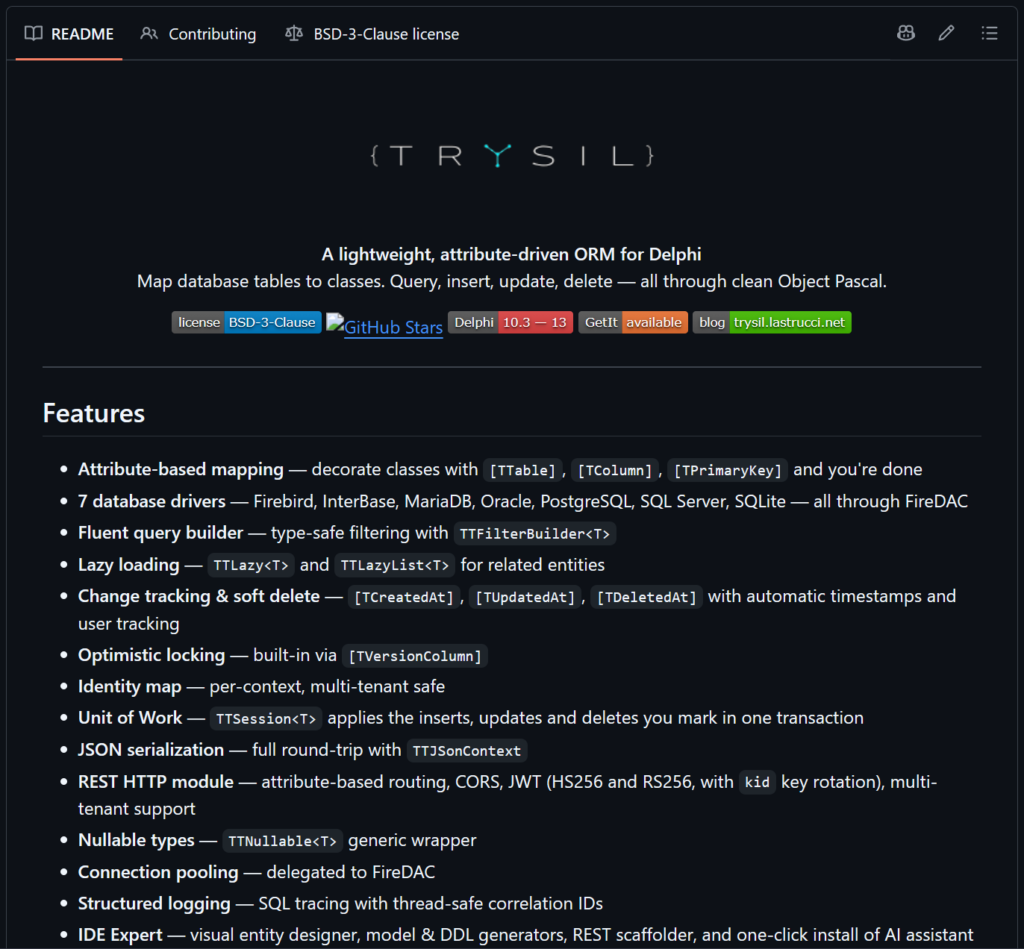
Why choose Trysil, what can it do?
For the examples we’ll use InterBase, Embarcadero’s database. Let’s take a customers table, with the generator that supplies the primary keys:
CREATE GENERATOR CustomersID;

CREATE TABLE Customers (
  ID INTEGER NOT NULL,
  CompanyName VARCHAR(100) NOT NULL,
  City VARCHAR(100) NOT NULL,
  Email VARCHAR(255),
  VersionID INTEGER NOT NULL,
  PRIMARY KEY (ID)
);
With “plain” FireDAC, reading the customers of a city looks like this:
LQuery := TFDQuery.Create(nil);
try
  LQuery.Connection := FDConnection1;
  LQuery.SQL.Text :=
    'SELECT ID, CompanyName, City, Email FROM Customers ' +
    'WHERE City = :City ORDER BY CompanyName';
  LQuery.ParamByName('City').AsString := 'Florence';
  LQuery.Open;
  while not LQuery.Eof do
  begin
    LCustomer := TCustomer.Create;
    LCustomer.ID := LQuery.FieldByName('ID').AsInteger;
    LCustomer.CompanyName := LQuery.FieldByName('CompanyName').AsString;
    LCustomer.City := LQuery.FieldByName('City').AsString;
    LCustomer.Email := LQuery.FieldByName('Email').AsString;
    LCustomers.Add(LCustomer);
    LQuery.Next;
  end;
finally
  LQuery.Free;
end;
Nothing wrong with it. But multiply it by every table and every operation (insert, update, delete) and the glue code becomes the largest part of the application.
So why keep writing code like this, when you can write this?
LBuilder := LContext.CreateFilterBuilder<TCustomer>();
try
  LContext.Select<TCustomer>(
    LCustomers,
    LBuilder
      .Where('City').Equal('Florence')
      .OrderByAsc('CompanyName')
      .Build);
finally
  LBuilder.Free;
end;
Same query, same result: typed TCustomer objects, no SQL strings, no FieldByName. Let’s see how to get there.
How to install Trysil from GetIt
Trysil is available on GetIt: in RAD Studio open Tools > GetIt Package Manager, search for “Trysil” and install it. GetIt downloads the sources into a folder under Documents\Embarcadero\Studio\<version>\CatalogRepository and compiles the packages for Win32 and Win64, in Debug and Release, into the Lib subfolder.

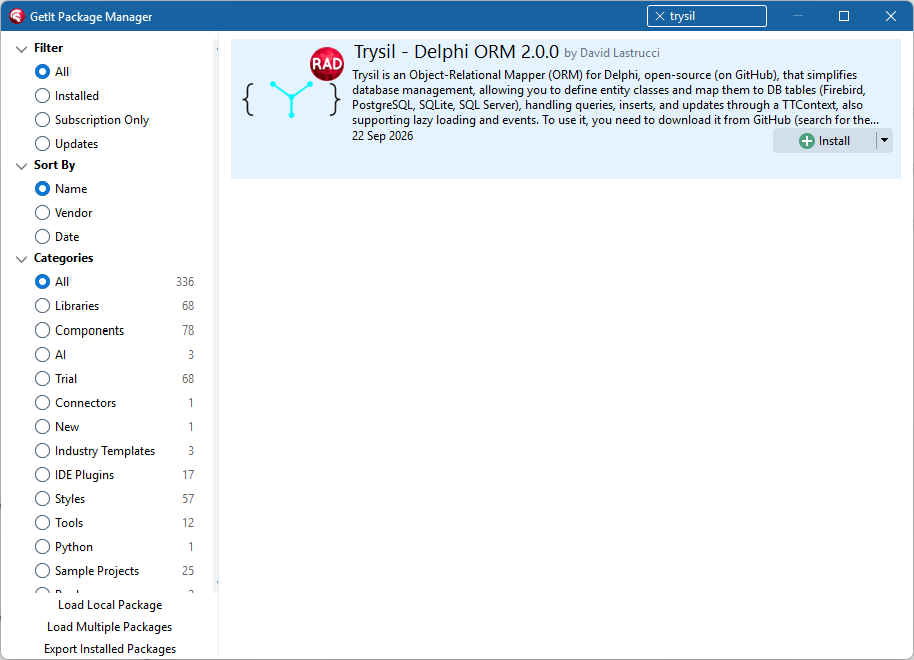
Trysil in the GetIt Package Manager
Two steps remain to tell Delphi where to find them:
- once, in Tools > Options > IDE > Environment Variables, add a
Trysilvariable with the full path of theLib\<version>folder you’ll find inside the Trysil folder created by GetIt; - in every project that uses Trysil, in Project > Options > Building > Delphi Compiler, with the target All configurations – All platforms, add
$(Trysil)\$(Platform)\$(Config)to the Search path.

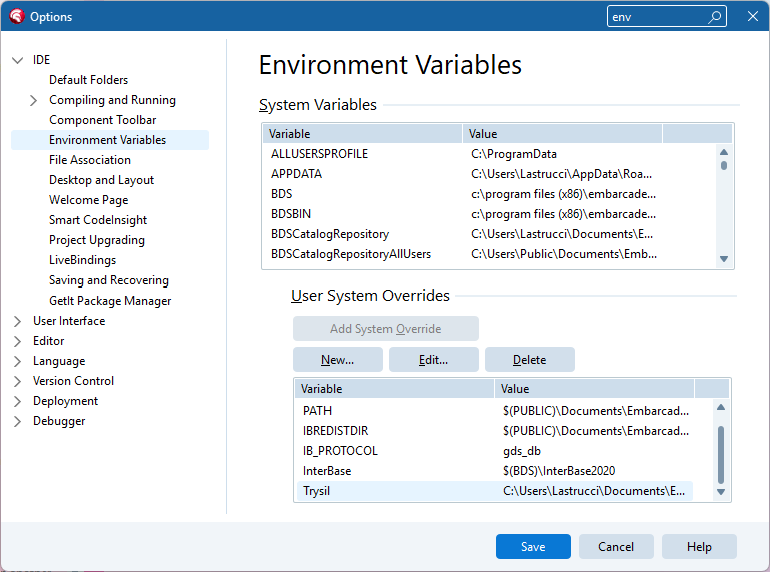
The Trysil environment variable

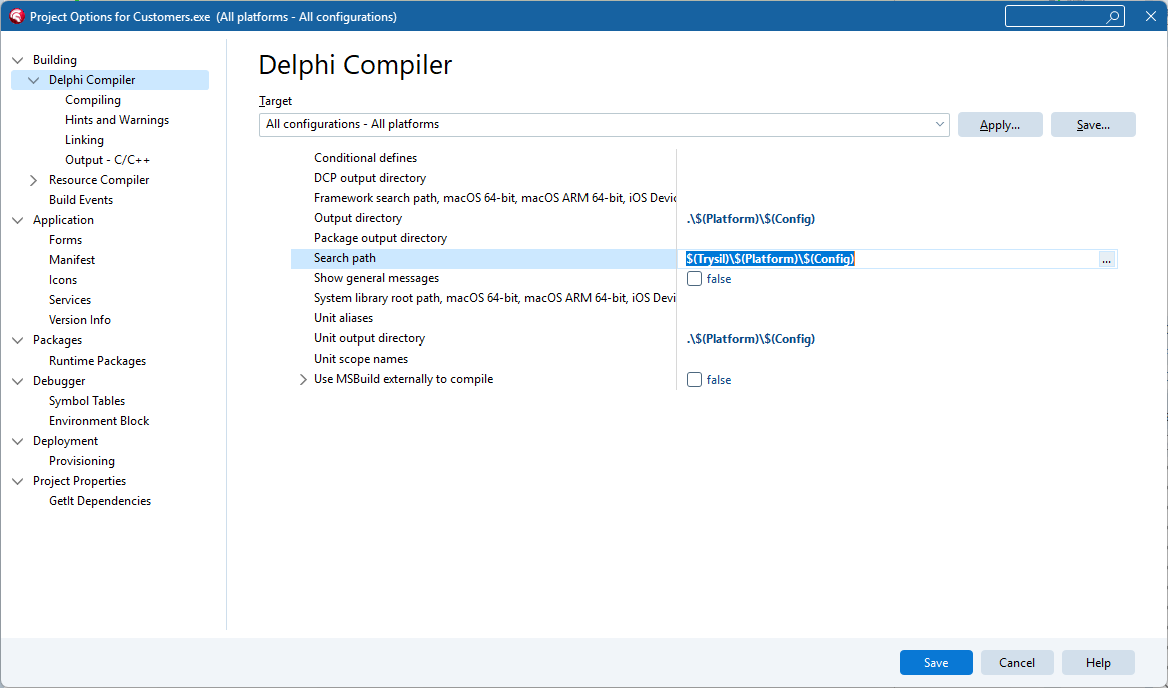
The project Search path
The Trysil variable is the same one used by the demos included in the project, so from now on they compile too.
The project is open source (BSD 3-Clause license) and the sources are on GitHub: https://github.com/davidlastrucci/Trysil
How to map a database table to a Delphi class
Here is the class that represents the Customers table:
{$WARN UNKNOWN_CUSTOM_ATTRIBUTE ERROR}

type
  [TTable('Customers')]
  [TSequence('CustomersID')]
  TCustomer = class
  strict private
    [TColumn('ID')]
    [TPrimaryKey]
    FID: TTPrimaryKey;

    [TColumn('CompanyName')]
    FCompanyName: String;

    [TColumn('City')]
    FCity: String;

    [TColumn('Email')]
    FEmail: String;

    [TColumn('VersionID')]
    [TVersionColumn]
    FVersionID: TTVersion;
  public
    property ID: TTPrimaryKey read FID;
    property CompanyName: String read FCompanyName write FCompanyName;
    property City: String read FCity write FCity;
    property Email: String read FEmail write FEmail;
    property VersionID: TTVersion read FVersionID;
  end;
That’s the whole mapping. No base class to inherit from, no configuration file, no registration. The attributes tell Trysil which table and which columns correspond to the class, and Trysil reads them at runtime through RTTI.
A few details:
{$WARN UNKNOWN_CUSTOM_ATTRIBUTE ERROR}turns a misspelled attribute into a compile error. Without it, Delphi only emits the warningW1074 Unknown custom attribute, easy to miss among the others, and the attribute is ignored.IDandVersionIDare read-only from the outside: the framework sets them.[TVersionColumn]enables optimistic concurrency control, which we’ll see later.[TSequence('CustomersID')]links the entity to theCustomersIDgenerator: on every insert Trysil asks InterBase for the next value and assigns it toID, without you having to writeGEN_IDby hand.
You don’t have to write this class by hand. Trysil Expert, the visual designer included in the project, generates both the entity classes and the SQL scripts that create the tables.
How to use Trysil to make a database connection with Delphi and FireDAC
The InterBase connection is registered once, with a name:
var
  LConnection: TTConnection;
  LContext: TTContext;
begin
  TTInterBaseConnection.RegisterConnection(
    'Main',
    'localhost',
    'SYSDBA',
    'masterkey',
    'C:\Data\Customers.ib');

  LConnection := TTInterBaseConnection.Create('Main');
  try
    LContext := TTContext.Create(LConnection);
    try
      // ...
    finally
      LContext.Free;
    end;
  finally
    LConnection.Free;
  end;
end;
RegisterConnection defines a named FireDAC connection (server, user, password and database path); TTInterBaseConnection uses it. To switch to SQLite, PostgreSQL, SQL Server, Firebird, MariaDB or Oracle, only this part changes: the connection class and its parameters. The entities and all the code that follows stay exactly the same.
TTContext is the single entry point: every read and every write goes through it.

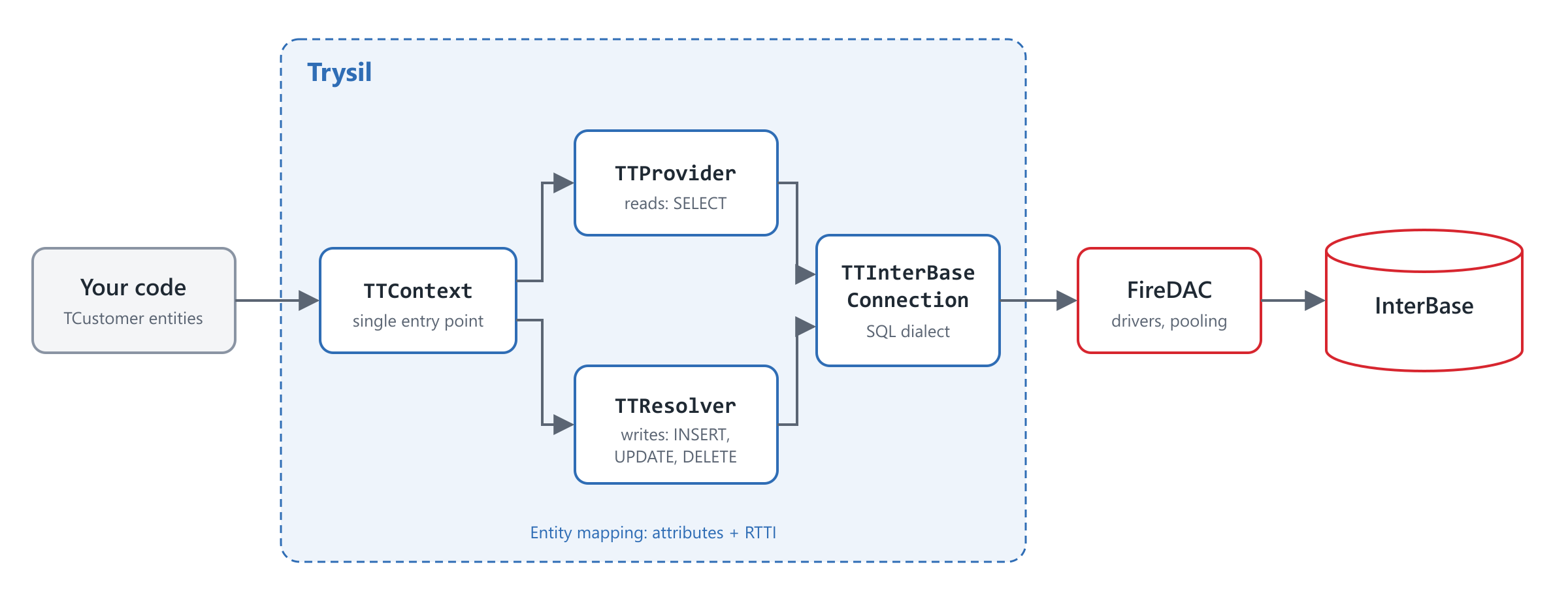
From your code to the database: Trysil sits on top of FireDAC
How to use Trysil to read, insert, update, delete data
Read
var
  LCustomers: TTList<TCustomer>;
  LCustomer: TCustomer;
begin
  LCustomers := LContext.CreateEntityList<TCustomer>();
  try
    LContext.SelectAll<TCustomer>(LCustomers);
    for LCustomer in LCustomers do
      Writeln(Format('%d: %s (%s)', [
        LCustomer.ID, LCustomer.CompanyName, LCustomer.City]));
  finally
    LCustomers.Free;
  end;
end;
No FieldByName: the columns land in the object’s fields, with the right type.
Insert
var
  LCustomer: TCustomer;
begin
  LCustomer := LContext.CreateEntity<TCustomer>();
  try
    LCustomer.CompanyName := 'Acme S.r.l.';
    LCustomer.City := 'Florence';
    LCustomer.Email := 'info@acme.example';
    LContext.Insert<TCustomer>(LCustomer);
    Writeln(Format('New customer ID: %d', [LCustomer.ID]));
  finally
    LContext.FreeEntity<TCustomer>(LCustomer);
  end;
end;
Trysil generates the INSERT statement, with the right parameters for the database in use.
Update
var
  LCustomer: TCustomer;
begin
  if LContext.TryGet<TCustomer>(1, LCustomer) then
    try
      LCustomer.Email := 'sales@acme.example';
      LContext.Update<TCustomer>(LCustomer);
    finally
      LContext.FreeEntity<TCustomer>(LCustomer);
    end;
end;
This is where [TVersionColumn] comes into play. The UPDATE includes the version that was read in its WHERE clause and increments it. If another user has changed the same record in the meantime, the version no longer matches: Trysil raises an ETConcurrentUpdateException instead of silently overwriting someone else’s changes.
Delete
var
  LCustomer: TCustomer;
begin
  if LContext.TryGet<TCustomer>(1, LCustomer) then
    try
      LContext.Delete<TCustomer>(LCustomer);
    finally
      LContext.FreeEntity<TCustomer>(LCustomer);
    end;
end;
A note on memory
By default the context uses an identity map: within the same TTContext, the same record always corresponds to the same object, and the entities belong to the context. CreateEntityList and FreeEntity take this into account for you, so the same code works whether the identity map is on or off. You only free the list, the context and the connection.
What are typed filters?
Let’s go back to the query from the beginning: customers in Florence, ordered by company name. With TTFilterBuilder<T>:
var
  LBuilder: TTFilterBuilder<TCustomer>;
  LFilter: TTFilter;
begin
  LBuilder := LContext.CreateFilterBuilder<TCustomer>();
  try
    LFilter := LBuilder
      .Where('City').Equal('Florence')
      .OrderByAsc('CompanyName')
      .Build;
  finally
    LBuilder.Free;
  end;

  LContext.Select<TCustomer>(LCustomers, LFilter);
end;
Values always become parameters, never text concatenated into the SQL. The builder also handles paging (Limit, Offset), translating it into each database’s syntax.
You can go one step further and get rid of the strings with column names too. With the expression API every column is a TTProperty, and Delphi’s operators (=, >=, and, or, not) build the condition:
type
  TCustomerProperties = record
  public
    City: TTProperty;
    CompanyName: TTProperty;
    Email: TTProperty;

    class function Create: TCustomerProperties; static;
  end;

class function TCustomerProperties.Create: TCustomerProperties;
begin
  result.City := TTProperty.Create('City');
  result.CompanyName := TTProperty.Create('CompanyName');
  result.Email := TTProperty.Create('Email');
end;
LProperties := TCustomerProperties.Create;
LBuilder := LContext.CreateFilterBuilder<TCustomer>();
try
LFilter := LBuilder
.Where(
((LProperties.City = 'Florence') or (LProperties.City = 'Athens')) and
LProperties.Email.IsNotNull)
.OrderByAsc(LProperties.CompanyName)
.Build;
finally
LBuilder.Free;
end;The explicit parentheses produce exactly the grouping you read in the code: (City = 'Florence' OR City = 'Athens') AND Email IS NOT NULL. A typo in a column name becomes a compile error, not a surprise at runtime. And Trysil Expert can generate the properties record too.
This works thanks to Delphi’s operator overloading on records: TTProperty overloads the comparison operators and returns a TTExpression, which in turn overloads and, or and not.
How to create database transactions in Delphi
When several operations must succeed or fail together, RunInTransaction runs them in a transaction:
LContext.RunInTransaction(
  procedure
  begin
    LContext.Insert<TCustomer>(LFirstCustomer);
    LContext.Insert<TCustomer>(LSecondCustomer);
  end);
If the anonymous method completes normally, the transaction is committed. If it raises an exception, the transaction is rolled back and the exception re-raised. If a transaction is already active, the operations join it. No StartTransaction, Commit and Rollback to balance by hand.
Here too it’s Delphi doing the work: the anonymous method lets you pass a block of code as a parameter, and RunInTransaction wraps it with starting, committing or rolling back the transaction.
What other things can Trysil add to RAD Studio and Delphi?
What we’ve seen so far is the core of Trysil, but the framework goes further:
- Relations and lazy loading: a
TTLazy<T>field mapped on a foreign key column (andTTLazyList<T>for detail lists) loads the related entity only when you access it, soLInvoice.Customer.Country.Nameworks without writing a JOIN. - JSON:
TTJSonContextserializes and deserializes entities and lists without support code. - REST:
Trysil.Httpexposes entities as REST endpoints, with attribute-based routing, CORS and JWT authentication. - Linux64: all packages compile for Linux64 with Delphi 13 Florence, so the same data access logic can run on a Linux server.
- Change tracking and soft delete: attributes such as
[TCreatedAt]or[TDeletedAt]automatically record who did what and when, and turn a delete into a logical archive.
Trysil supports seven databases (SQLite, PostgreSQL, Firebird, SQL Server, InterBase, MariaDB, Oracle) and Delphi versions from 10.3 Rio to 13 Florence.
Conclusion
Moving from “plain” FireDAC to Trysil doesn’t require abandoning what you know: FireDAC remains the engine. What disappears is the glue code between rows and objects, along with the strings the compiler can’t check.
And all of this is possible without preprocessors: just attributes, RTTI, generics, operator overloading and anonymous methods, the Delphi you already have.
To get started:
- GetIt: search for “Trysil” in the GetIt Package Manager
- GitHub: https://github.com/davidlastrucci/Trysil
- Documentation: https://davidlastrucci.github.io/Trysil
- Blog: https://trysil.lastrucci.net
This is a guest post by David Lastrucci. You can find him at https://www.lastrucci.net