


Kai 1.1 is available today. This is a very significant new release that introduces a much more flexible way to connect Kai to AI providers and large language models.
Kai 1.1 reflects the extensive feedback we received both from existing users and from developers considering how to incorporate AI into their workflows. The new version greatly expands the range of AI solutions you can use, making it easier to work with your provider of choice while addressing data sovereignty, privacy, and security requirements.
This creates a more flexible foundation for bringing agentic AI into the RAD Studio development workflow.
We deliver Kai via the GetIt package manager or as a separate download in the customers portal, so that as soon as we have a release ready, we can push it out much faster than we can do with full RAD Studio releases.
A New Way to Connect AI Agents
The biggest change in Kai 1.1 is ACP Registry integration.
Previously, integrations with different CLI AI engines shipped with Kai. With version 1.1, these integrations are downloaded from a public registry after installation. This gives Kai access to a much broader and continuously evolving ecosystem of agents.
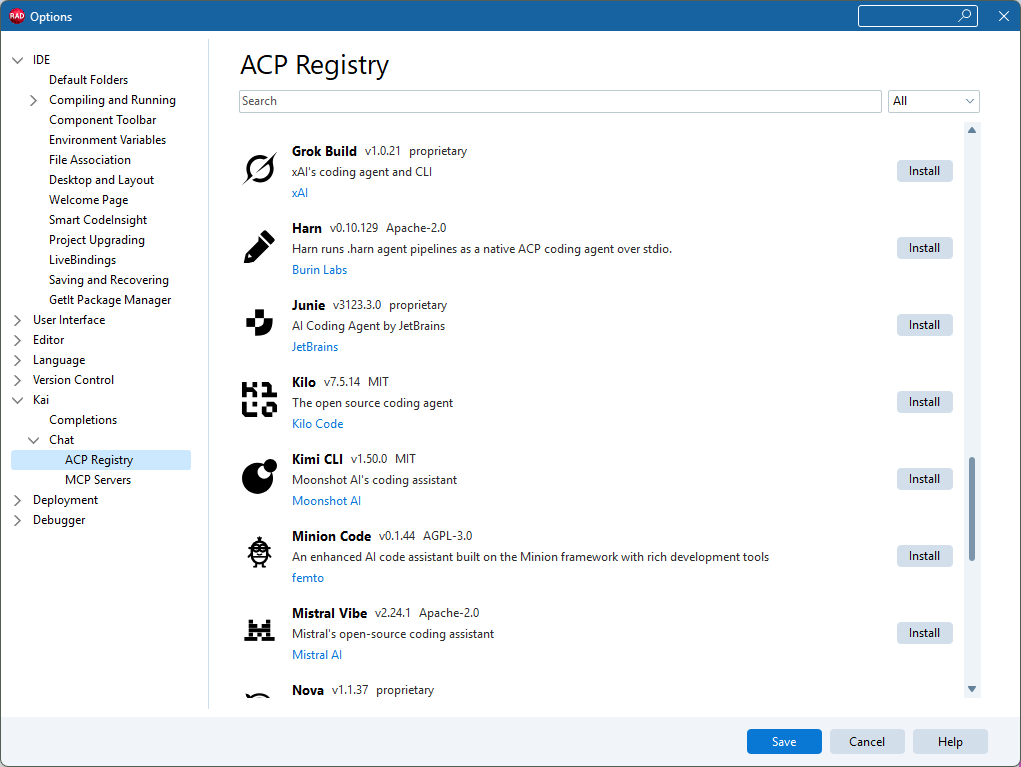
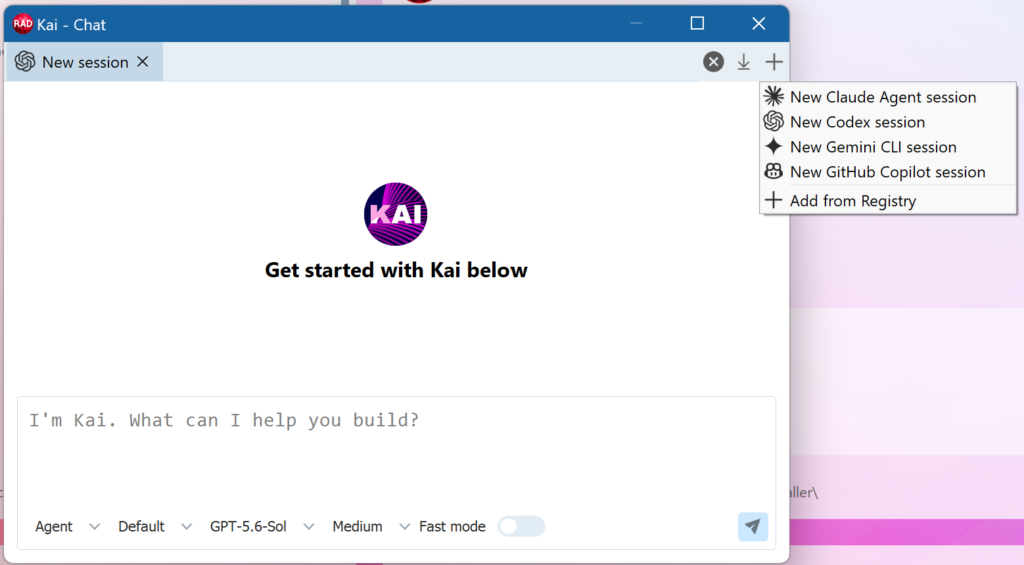
The ACP Registry is a public registry of AI agents, jointly owned and maintained by JetBrains and Zed Industries, that Kai 1.1 uses to manage its integrations. The ACP Registry currently includes 35+ agents, including agents already supported, like Claude, GPT-5 and Gemini CLI, as well as new options such as Antigravity, Grok, Mistral, Cursor, Devin, Kilo Code, and Junie. Users can search the registry, filter agents, install them directly from Kai, and see directly in the Kai configuration when updates are available.
This architecture also means new agents can become available when they are added to the ACP Registry, without requiring a new Kai release.

A Better Kai Experience
Kai 1.1 also introduces an extensive UI and UX refresh.
The redesigned interface includes:
- Monochrome icons and glyphs
- Better spacing
- A new chat toolbar
- Cleaner configuration pages
- A more consistent editing chat area
- Improved boolean-option controls
- Numerous additional usability improvements
The release also addresses a number of customer-reported chat issues, including unwanted popups, scrolling problems, performance with larger text, command-palette behavior, and UI event handling.

Better Support for Local AI
Kai 1.1 also strengthens existing local AI support with the new Native LM Studio ACP agent.
Despite its name, the agent works with both LM Studio and Ollama, giving developers a smoother way to work with local AI models through Kai.
A Stronger Foundation for AI-Assisted Coding
Kai 1.1 represents an important evolution of the platform.
With a growing registry of agents, direct installation and updates, improved local AI support, a redesigned interface, and numerous quality improvements, Kai is becoming a more flexible and extensible part of the RAD Studio development experience.
Kai 1.1 isn’t simply a new version. It’s a stronger foundation for AI-assisted coding.
Click here for migration advice when upgrading from Kai 1.0.x to Kai 1.1