


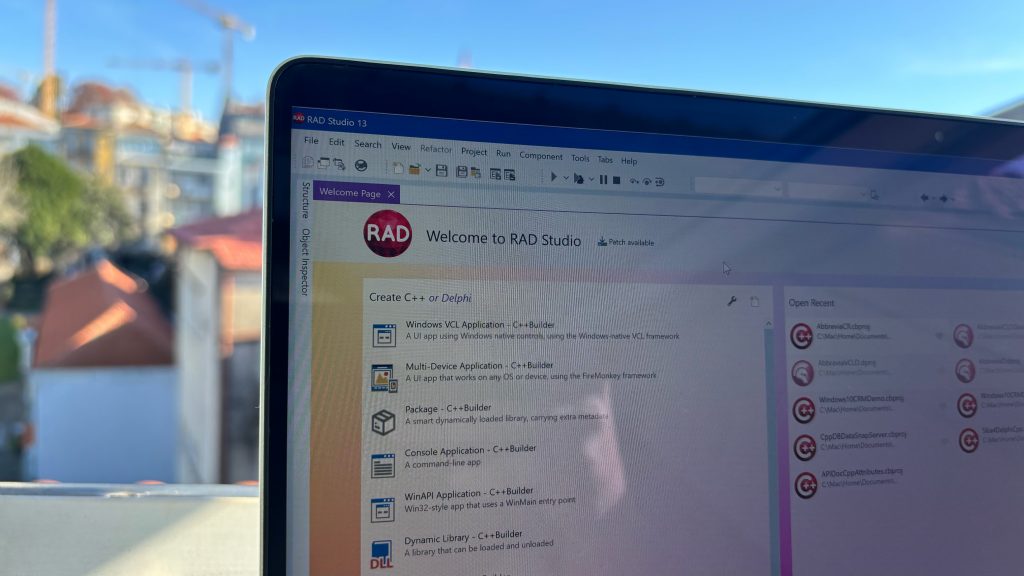
When RAD Studio announced C++23 support, it looked deceptively simple — just a single line in the release notes. But under that line sits one of the most complex engineering efforts in the product’s modern history.
C++23 wasn’t just another “language update”; it was a massive paradigm change. For a platform like RAD Studio, which must balance modern language features with decades of legacy compatibility, this was less of a patch and more of a full-scale solution. With that effort came BCC64x, the short name of the Modern C++ compiler used in RAD Studio. It is based on the LLVM/Clang 20 toolchain with ‘Borland’ extensions.
The compiler is just a single piece of the C++23 integration in Embarcadero products, but it’s an important one so here’s some background to it all.
The benefits of the new C++Builder compiler
- BCC64x is now completely on par with the industry-leading LLVM-based Clang 20 compiler.
LLVM/Clang is a long-standing effort to make a modern C/C++ Compiler. The project that started as an alternative to GCC effectively became one of the leading powers in the development tools industry. Many tools are built on the foundation of LLVM, and many more frameworks are about to come. - Much greater compatibility with the third-party libraries. In most cases, no changes are needed to compile third-party code. Technically, there might be a few cases when the changes are needed — they include the use of very specific parts of POSIX headers shipping with MinGW/Clang, but we try to minimize such issues as much as possible.
- BCC64x is about twice as fast as the older bcc64c (the previous generation of Clang-based Embarcadero compilers). We reached that not only by introducing a newer version of Clang, but also by improving parallel build capabilities.
The performance tends to be even better in multi-core setups. The perfect balance between performance and feature completeness is reached in the case of 16+ cores, which corresponds to the latest x86 (64-bit) processors.
Below, we provide the results of the testing of build performance on xerces library:
| Test | bcc32 (Classic) | bcc32c (Clang 5) | bcc64 (Clang 5) | bcc64x (Clang 20) |
| Parallel test | 00:11.86 | 00:16.08 | 00:16.99 | 00:13.14 |
| Sequential test | 00:11.92 | 02:15.62 | 02:47.62 | 01:35.90 |


More benefits of BCC64x, the new C++Builder compiler
- BCC64x delivers state-of-the-art optimisation, at the cost of slightly longer build time.
BCC64x may unroll loops more aggressively, better inline frequently used functions, and generate less noisy arithmetic code. That is well-seen in the assembly, so the enthusiasts can get excited about it. - Support for newer C runtimes.
Developers working with C++ applications have long struggled with C runtime issues. Microsoft has put significant effort into developing a new unified C runtime (CRT), which improves the portability of Windows applications, versioning of CRT libraries, and so on.
BCC32 calls directly into low-level APIs even on newer Windows, fully bypassing CRT. BCC64x takes advantage of the new CRT, improving portability and versioning of Windows applications. - Improved security. Clang does many built-in checks that diagnose possible mistakes. This explicitly improves security and protection against cyber attacks.
- More readable error messages.
While Embarcadero worked hard on getting understandable error messages, the new BCC64x goes further by expanding the context of the error. In most cases, it is possible to trace how the issue appears in the source, the compiler does ‘unrolling’ of macros, etc. - Finally, the new compiler paves the way for more target platforms in the future. This is due to the nature of LLVM — this is a framework that supports all major platforms.
The Technology Challenge
The Embarcadero C++ compiler is not just another Clang fork or a casual front-end plug-in. It integrates deeply with Delphi’s runtime, VCL, and FireMonkey, and must generate code that remains ABI-compatible with everything written since the Borland days. That means you can’t just drop a new parser and call it done — special keywords (__closure, __published, __classid, etc) must be supported.
Every new feature had to be verified not only for correctness but for interoperability with the old toolchain, debugging symbols, and the IDE’s Code Insight system. And anyone who has ever touched C++ compiler internals knows that’s hard work. Sometimes, even alignment conflicts are a significant issue on the way to compatibility. Given Embarcadero’s large code base and the number of devoted users of our technology, we find it important to put in as much effort as possible to minimise issues.
How to make Delphi and C++ work together
The Embarcadero ecosystem brings significant convenience for C++ developers; however, many pieces of our R&D tools are written in Delphi. That’s true even for VCL, which is one of the technologies that we offer for developing UIs. Therefore, the main feature of the Embarcadero compilers is the compatibility with the Delphi runtime.
Delphi runtime uses its own ABI. For Win32, there are different calling conventions, and for Win64 there is just one calling convention. The Delphi ABI itself fits within Itanium ABI for Win64. While this sounds like a potentially minor issue, the effort comes from supporting this variety at the same time.
More importantly, the new C++ features actually simplify the porting of Delphi features and make Delphi interoperability cleaner.


The debugger and debugging information
The second most used feature of any IDE, besides the compiler, is the debugger. The debugger also has to support the Delphi runtime, has to map Delphi to source, and has to support the same debugging information format.
The object format has undergone significant changes between the classic compiler and the modern compiler. Now it is standard COFF, while previously it was OMF, and that changes how the debugging information is read and processed.
COFF is superior to OMF because it supports 64-bit architectures, Codeview debug information format, and is fully compatible with contemporary toolchains like LLVM and MSVC. It uses an extensible, section-based design that handles large data and complex relocations efficiently, while OMF is a legacy 16/32-bit format with size limits and poor compatibility with modern linkers and debuggers.
The classic compiler’s tds/GIANT debugging information format is not compatible with CodeView. Therefore, both of them have to be maintained.
The effort to bind projects together is quite significant, and we are proud to offer this improvement to our customers.
C++Builder’s linker now understands COFF files
For the Classic compiler, the ilink32 is used. For bcc64x, the LLVM linker (ld.lld) is used.
The new linker understands COFF object files, extended relocation types, and modern debugging information formats.
C++ Builder ensures the correctness of invocation when switching between the ilink32 and the new LLVM linker.
Conclusion and future goals
BCC64x establishes a stable foundation for future C++ and Delphi interoperability. Migration is recommended for access to C++23 features, improved diagnostics, and long-term compatibility.
We have even bigger plans for the upcoming releases, which weren’t possible without upgrading our toolset. Keep in touch!


Why not download a free trial of C++Builder today and see why we think it’s the fastest, easiest, and most efficient way to create modern apps?